This Post was translated from Thai with AI assistance. Read the Original
pstack the right way
pstack is a manual that makes a coding agent work step by step. Its heart is the Verification skill, which lets the agent check its own work with real evidence. Build it before you start using /poteto-mode.

This blog was written 100% by a human. I wrote it myself.
TL;DR
pstack is like a manual that makes a coding agent work step by step. When a task is done, the agent has to prove it is really done, with real evidence. So the coding agent has to actually try the app, the same way a user would. That is the heart of it: a project that is ready for the coding agent to check its own work.
The other day I said you start with /poteto-mode. That was wrong.
Here is the right way.
You have to set up pstack properly first.
- First, set up model roles. pstack has many roles for different kinds of work.
- Second, use the
/create-verification-skillskill. It helps you build a Verification skill specific to your project, so the coding agent can call that Verificiation skill to check its own work. - Last, you have to maintain the Verification skill. As your project grows, the Verification skill goes stale. Use the
/maintain-verification-skillskill to update it.
Why I wrote this
I have been watching a lot of YouTube about pstack lately, from both abroad and Thailand.
It is really popular right now. It was made by Lauren Tan (she prefers to be called Poteto), an engineer at Cursor. She is from Singapore.
The first time I saw people talking about pstack, I knew right away that this skillset had to be very good, because everyone was talking about it.
But in many places and many channels, I think the information is incomplete, and it misses the most important part. That part is the Verification skill. pstack only works well when your repo is ready for the agent to check its own work. I will go into detail in the Setup section.
Many people have asked me whether I have tried pstack. Honestly, I am still studying it, and I ask them back: “You tried it, is it good? Why is it good?”
I think you can use anyone’s workflow. But do you know how it works? What do you expect to see at each step? Some people try it and go, huh, this is no different from other workflows.
Oh, you don’t need to know. /poteto-mode handles it for you.
Then how can you be sure /poteto-mode works well for the work you do? Is your project ready for pstack? Have you ever asked yourself that?
Lauren Tan built pstack for her own work. She has never done the same work you do.
I think the way out is to look at the core idea of pstack: where it came from and why it was built. Then you know which parts you can adapt to your own work. If it fits the direction of your project, go for it. Or if you like Lauren Tan’s approach, adjust your project to follow her workflow.
I don’t want you to use it blindly just because it is trending.
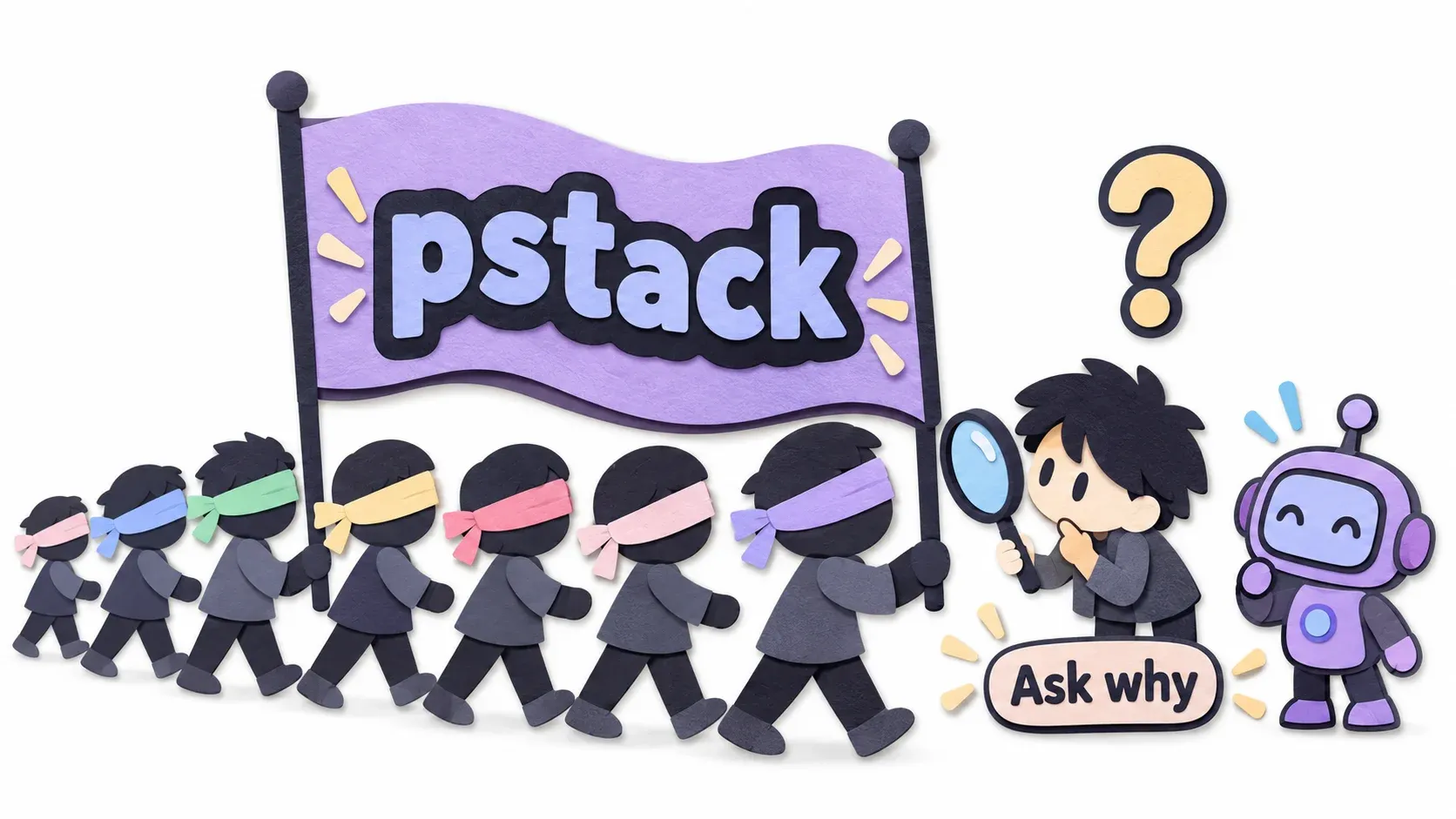
I will say this up front: you have to use it for a while, and keep tuning it. Trying it once or twice will not make pstack stand out or help you the way it helps Lauren Tan.
At this point some of you may ask me: how do you know? Are you making this up? Everyone has the right to ask. If you are asking that while reading, I am very happy. It is something we all should do more these days. Don’t trust me, don’t trust AI, ask questions.
I did not make this up. I read Lauren Tan’s blog ✎ source blog link, then retold it in my own words. Wherever I cite her numbers or words, I put a link so you can check. part1 and part2
This blog is a summary of what pstack can do. It is definitely long. It also includes a guide for the important parts.
What problem pstack solves
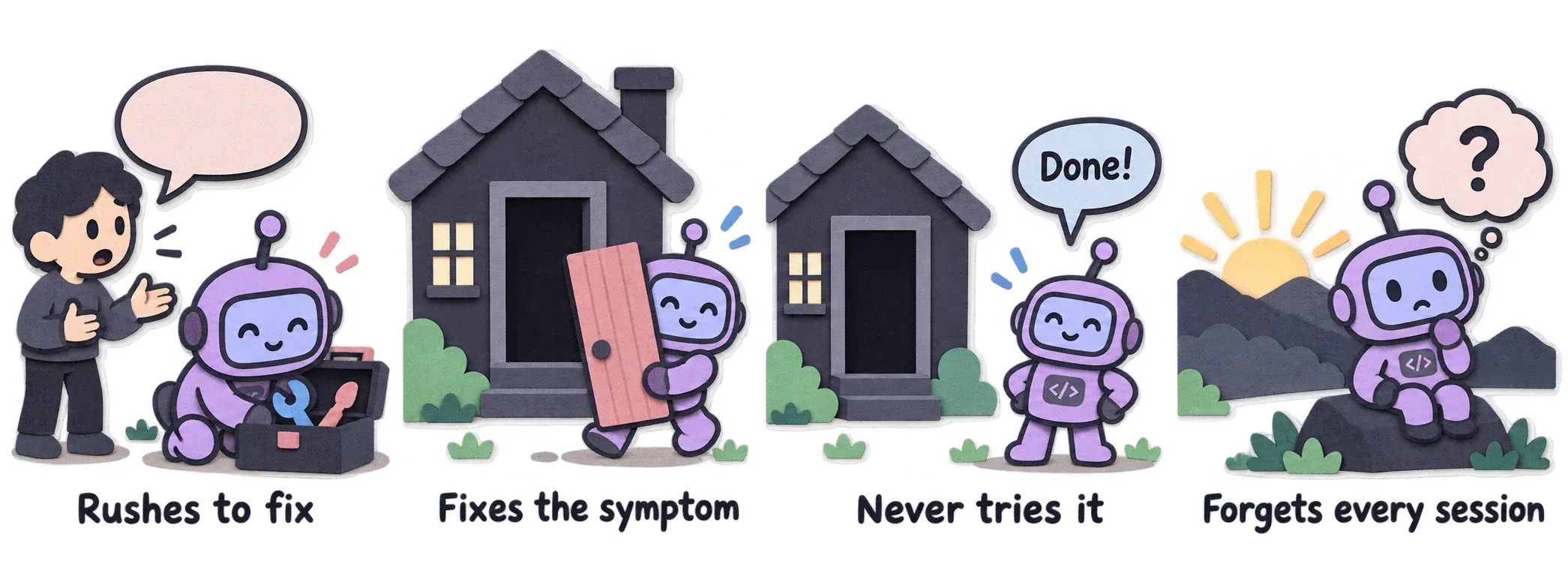
pstack helps fix an AI buddy with these 4 habits. Imagine you have a friend like this.
- When you say there is a bug, your AI buddy rushes to edit the related files right away, like a repairman who opens the toolbox before listening to the symptoms. It is in a hurry to please you. That is its nature these days.
- The AI only fixes the symptom. Something like: it sees you have trouble getting in and out of the house because the door is broken, so it just takes the damn door off. Now getting in and out is easy. That is not the work you wanted, so you have to teach it, right?
- The AI does not actually try it. It takes the door off and tells you the job is done, without ever walking through the doorway itself. You have to teach it again, right?
- This AI buddy forgets everything the next morning. Just start a new session (/new, /clear) and it forgets everything you taught it.
So Lauren Tan wrote a manual for our AI buddy and named it pstack. Forgot? Go read the manual.
Every morning before your AI buddy starts work, hand it the manual.
That is /poteto-mode, every time you start a new session.
The manual says something like:
for this kind of work, do these steps; for that kind of work, do those steps; when you are done, show me the evidence; then the work is done.
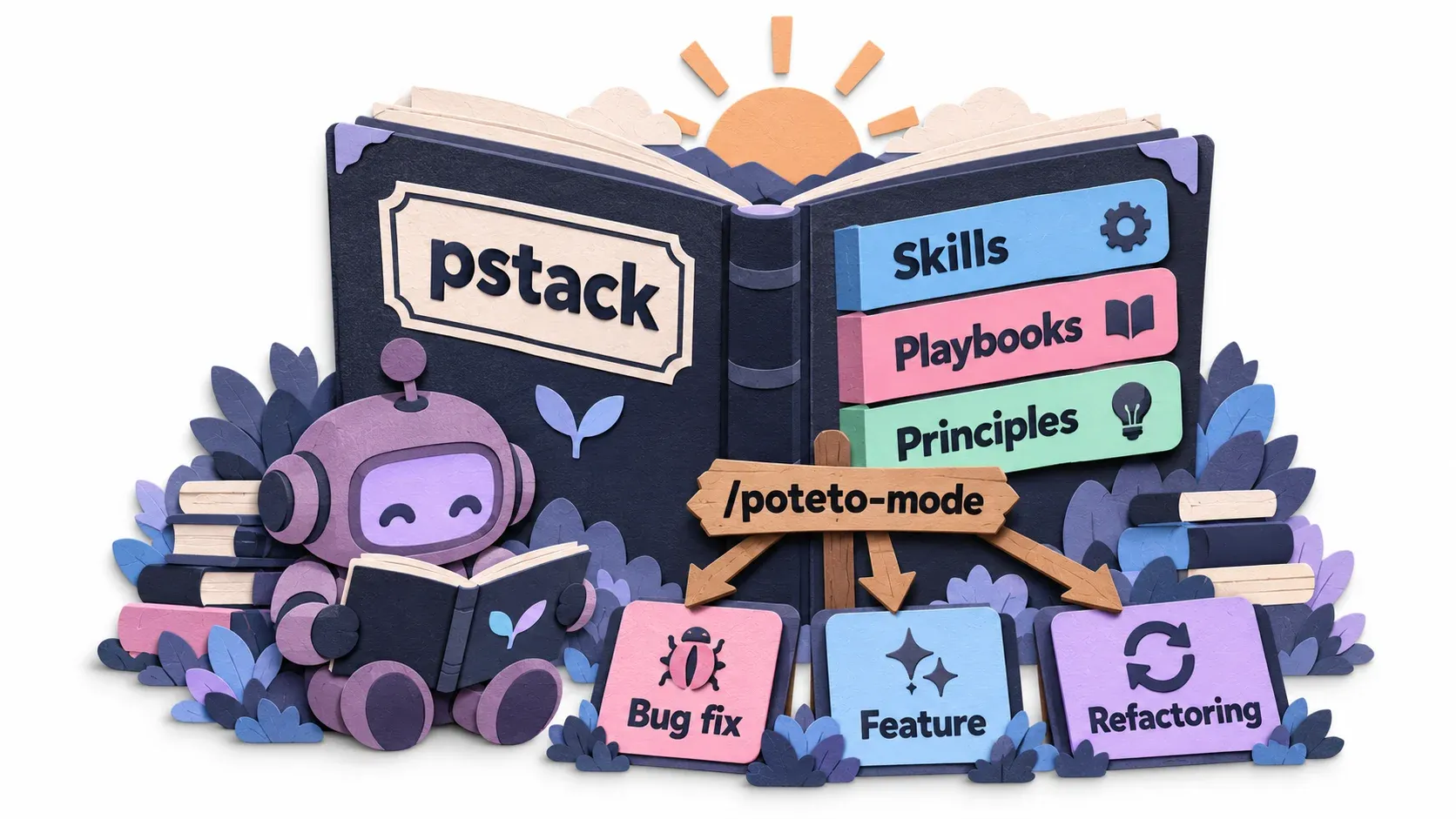
The pstack manual has 3 things.
- skills. There are a lot of them. Most are called through a Playbook, but some skills you call yourself.
- playbook. It lays out the steps in advance, step by step, for each kind of work. For example a bug fix playbook or a feature playbook, with clear steps 1, 2, 3, 4. Each playbook combines skills from the first part into a workflow for that kind of work.
- Principles. 24 short rules for projects that use pstack. Principles are skills too, you just never call them yourself. It is enough to know what they are.
As you can see, there are lots of skills, plus playbooks.
So many of them, you can’t remember them all.
Lauren Tan hit that problem herself, haha.
So she made one skill for routing: you have work you want done but don’t know which playbook to use, so you ask this skill.
That skill is /poteto-mode. It is what makes pstack easy to start with.
The core idea of pstack is to make your coding agent able to check its own work. Once it can, the coding agent keeps working until the work is really done, without waiting for you. If the coding agent cannot check its own work, it has to wait for you to check it, right? Then you become the bottleneck. At LINE Developer 2026, Ajarn Ta Wiroj said humans are now the slowest point in the SDLC, which adds more weight to this. If the coding agent does not have to wait for you, that’s good, right? You are not free to answer anyway. I’m off to running practice, and the younger folks may be watching Netflix.
The result: Lauren Tan shipped more than 2,000 PRs in one month. (And the bottleneck moved to the reviewers instead. That part is my own addition, and if you agree with it, it is not Lauren Tan’s fault, because her work comes out complete.)
So when many people open a project and use /poteto-mode right away, I think they start in the wrong order.
Have you asked yourself whether your project is ready for the coding agent to check its own work? If not, /poteto-mode can only say it is done, without proof. The right order is to build the Verification skill first, then use /poteto-mode.
Lauren Tan says “Verification is all you need” A nod to “Attention is all you need”, maybe. I’m just guessing.

Overview: how one task travels
First, the big picture: if you have one task for a coding agent using pstack, how does it travel?
There are 5 stages.
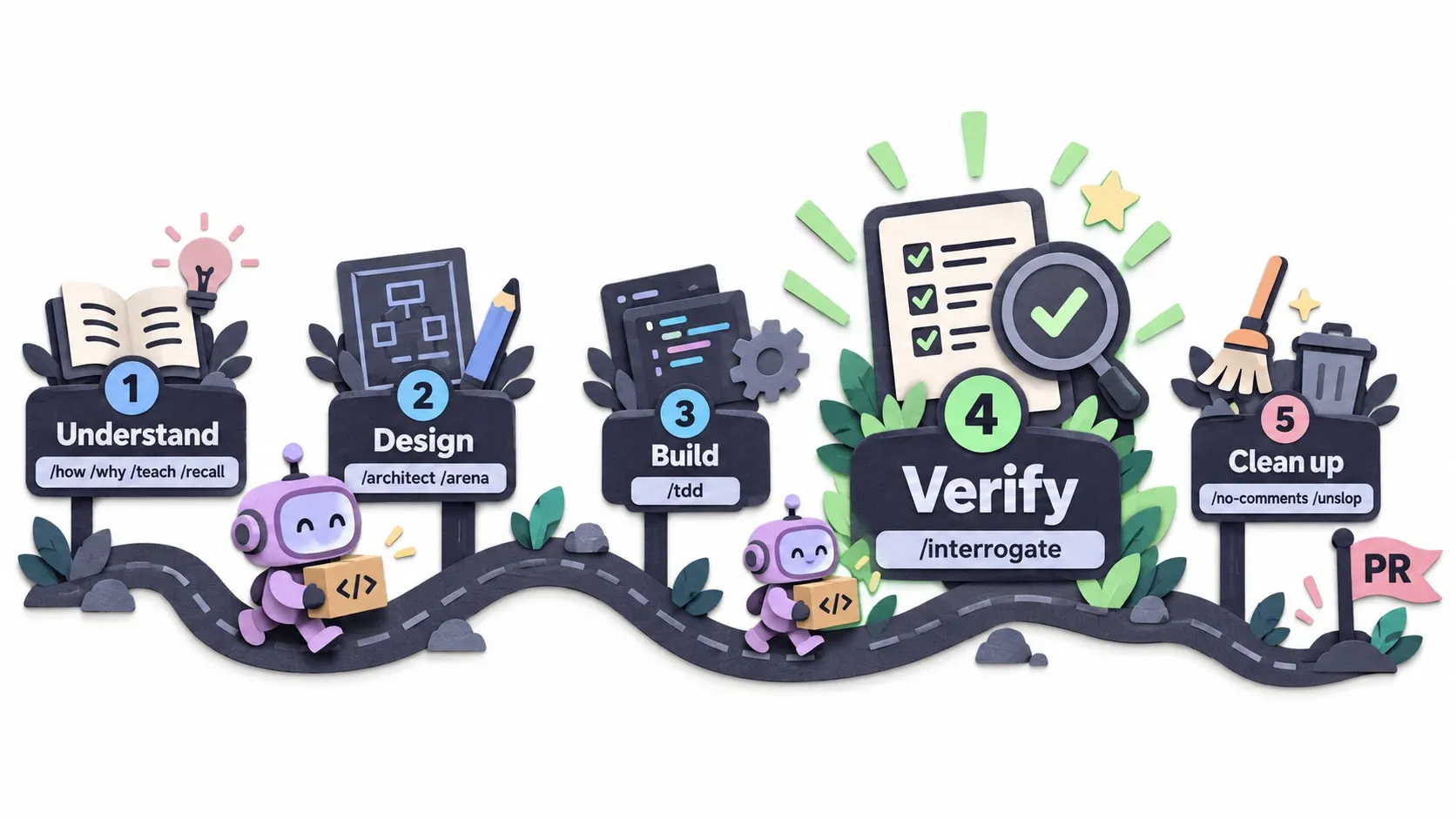
- Understand your code first. It may use the skills
/how,/why,/teach,/recall - Design, using the skills
/architect,/arena - Do the work, using the skill
/tdd - Verify. This is the most important point, the standout of pstack according to its core idea. The skill
/interrogate, and it records what it found during review in a log - Clean up, for example remove comments and tidy the related docs so people can read them easily. It uses the skills
/no-comments,/unslopand finishes with the Opening a PR playbook (for comments, see the/no-commentssection)
The 5 stages above are only a rough picture. Once more: the most important one is stage 4, Verify.
Terms to know before you read on
pstack uses some strange vocabulary. I list only the terms you need from here on. I explain the rest when they first appear.
I put this in on purpose. When I read pstack in her repo, I was really confused. The terms were hard for me. I had to ask AI to explain them many times. Honestly, while writing this I have already forgotten some of them, haha.
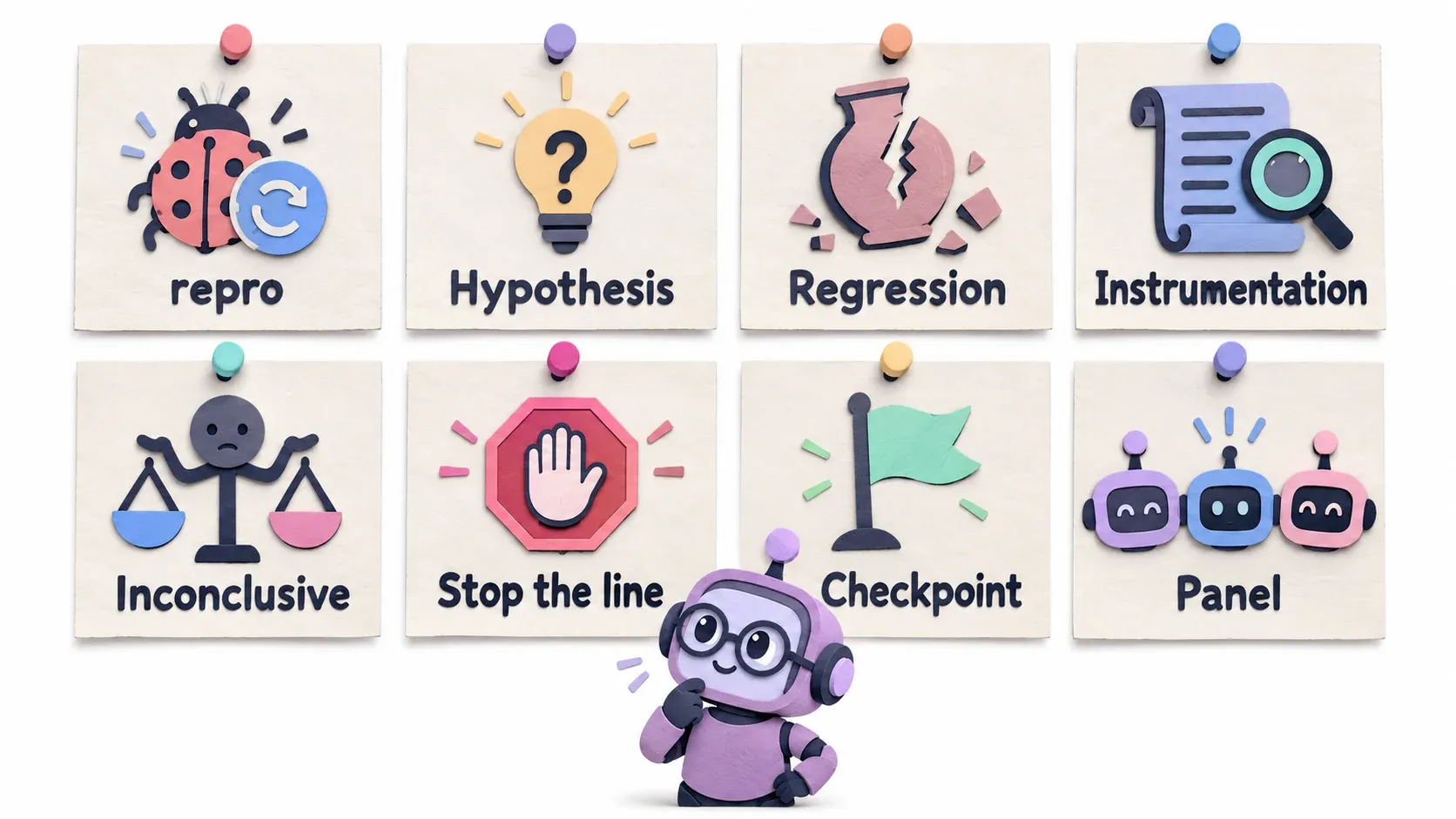
- repro = short for reproduce. When someone reports a bug, you have to work out how the bug happens. That is reproduce, shortened to repro
- Hypothesis = what you suspect. When there is a bug, you may guess ahead that it is here or there, but you have to prove it first
- Regression = something that used to work, and after a code change it breaks
- Instrumentation = in pstack, adding temporary logs to see values
- Inconclusive = after the work, the agent cannot conclude whether it is done, because it cannot check the result or the result is unclear. For example it finished a website but has no browser to check it
- Feature map = a map of the features your system has, kept as markdown files
- Stop the line = stop the work right there if that step cannot continue. For example, if you can’t reproduce the bug, don’t rush to fix it, just stop
- checkpoint = a point where the agent stops and waits for your answer, for example making a prototype for you to choose before it continues
- Panel = one task, done competitively by several models from several vendors, then the best result is chosen
- Verification skill = your repo’s own toolset that lets the coding agent use the app like a user and bring back evidence. Inside are SKILL.md, a CLI and a feature map Details below
Let’s keep going. Don’t take a break until you finish.
Setup
The original pstack is designed for Cursor, because Lauren Tan works at Cursor. If you use Cursor, run /add-plugin pstack.
If you use Claude Code / Codex / Pi / OpenCode, people have already ported it, for example michael-denyer/pstack-claude
As for me, I use omp. I ported pstack to an omp plugin myself. It’s done, but I want to use it for a while before making it public.
To be clear: I don’t use Cursor and I haven’t tried pstack-claude. What I say about those two comes from their docs. And this blog is not a step-by-step setup guide. I want to explain the core concept that works with any harness.
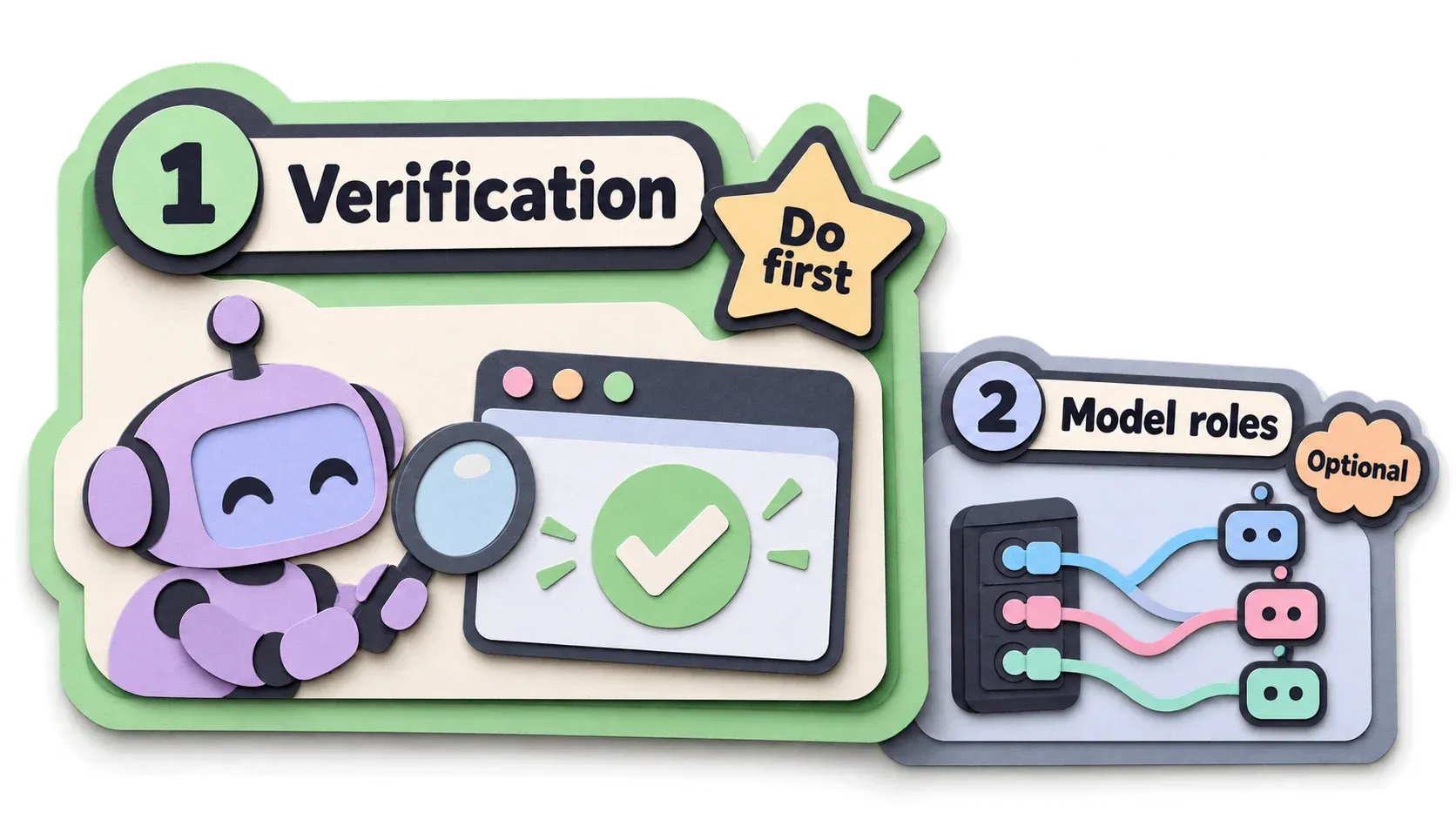
There are only 2 things to set up.
- Set up your project so the coding agent can check its own work (most important, do it first)
- Model roles, because pstack often uses several models for the same task (you can set them later, and it works without them)
1. Set up verification
This is the most important part of the article. If you are short on time, please read at least this part to the end. I’m begging you.
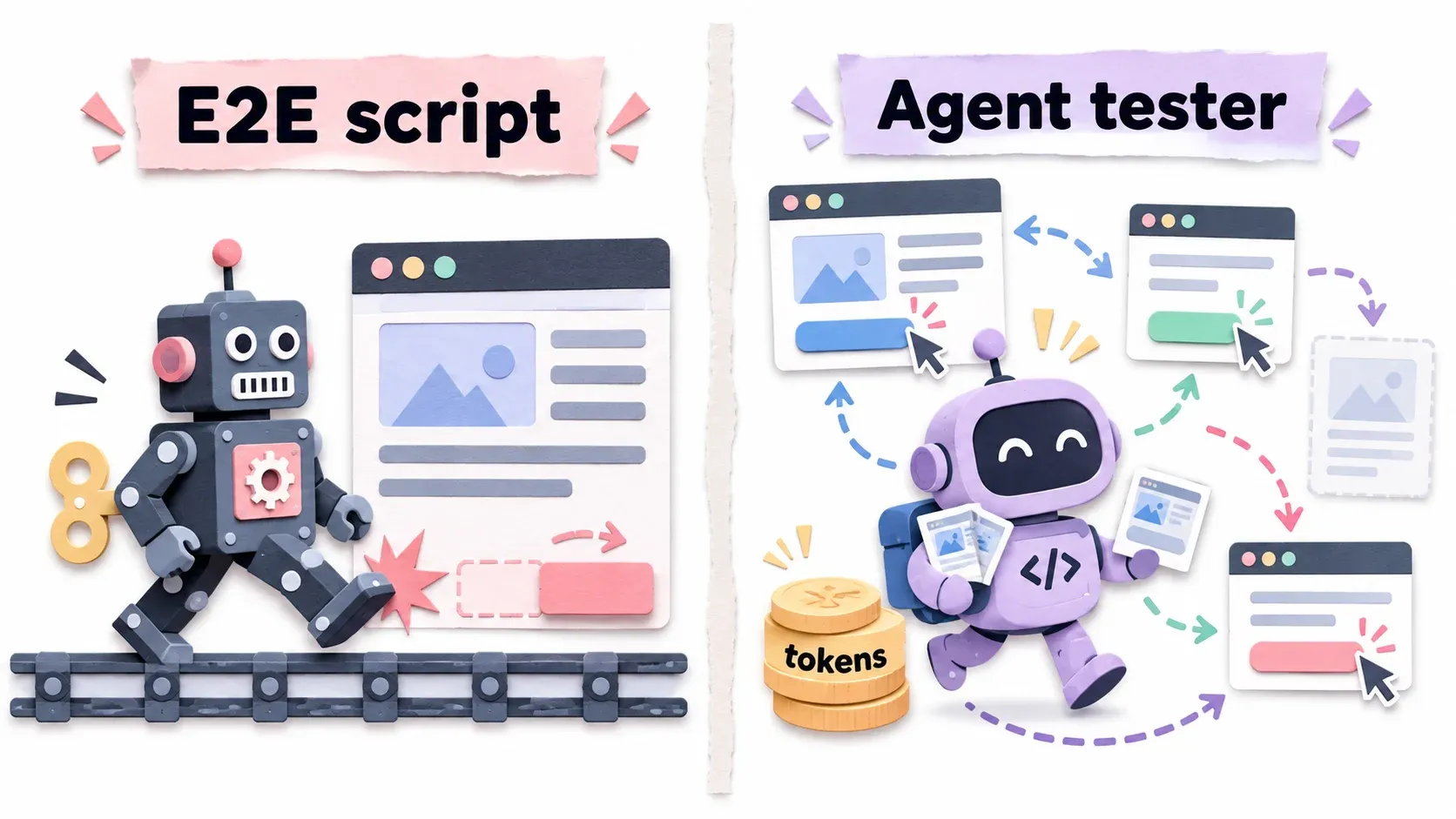
Compared to something familiar, it is like E2E testing. The difference is that E2E is a fixed script, while here the coding agent does the testing. It adapts to the task better, but you pay in tokens.
During pstack setup, it asks whether you want to create a verification skill. This is a must, not an option. Lauren Tan calls it critical infrastructure and says that if you build it well, it can multiply the output of the whole team by 100 to 1000 times.
pstack has 2 related skills.
- create-verification-skill
- maintain-verification-skill
What is a verification skill?
Let me go back to the problem first. You have probably run into this: the coding agent says it fixed the bug and all tests pass, but when you open the real app, oops, the app is still broken. And when did you find out? After you got the report that the code was done.
What pstack does is build tools that let the coding agent really use the app, the way users do on the screen. It uses these tools to play through every part of the app until it is sure it works, and takes snapshots as evidence.
After the coding agent finishes writing code, it has to call these tools to prove its work with evidence.
These tools are what let the coding agent check its own work without waiting for you, so you don’t become the bottleneck.
This is the core concept, the heart of pstack: making the coding agent able to check its own work.
And the /create-verification-skill skill helps you build exactly that.
Lauren Tan’s own blog also starts by talking about the Verification skill first.
A bonus: if your repo has tools that let the coding agent check its own work, people who aren’t developers can use the coding agent for simple work too, without waiting for a developer. That’s good for the company, right?
pstack calls this whole toolset the Verification skill. It is one folder with 3 things inside.
- SKILL.md tells the agent how to verify this app
- A CLI that acts as your user, with sub-commands for the things a user does in the app
- A Feature map, markdown that says which features the app has and where they are
This Verification skill is also called from various Playbooks.
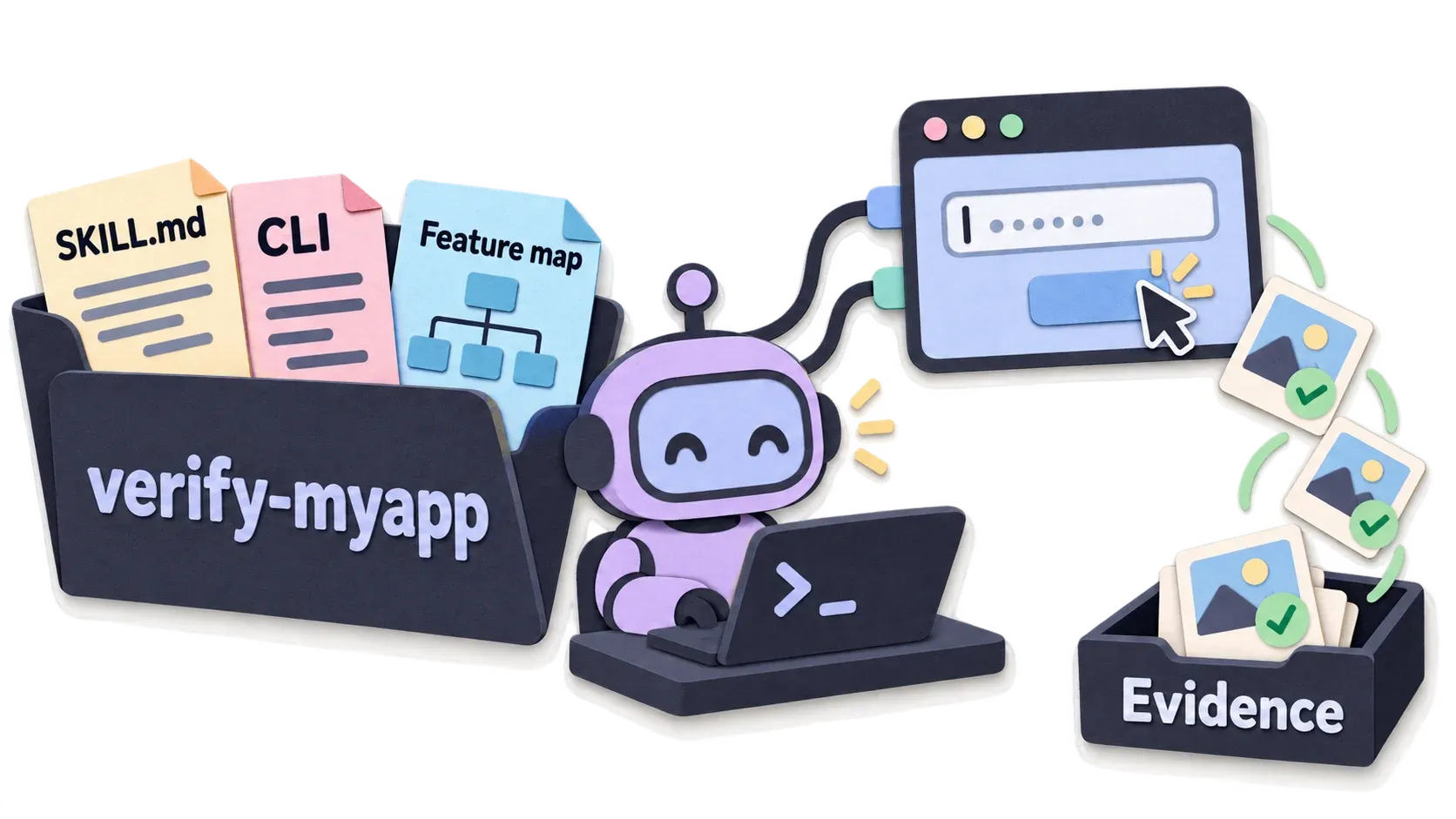
What we want is for the coding agent to use the app the same way users do, whatever it takes. For a website, you need a browser. There are several ways to give the agent a browser, depending on your project setup. Some people use the Chrome DevTools Protocol (CDP) or agent-browser, whatever is convenient. Or you can use Playwright MCP. Personally I use CDP because omp has it built in. For an iOS app, you probably need a simulator, which you usually already have, right?
/create-verification-skill builds a CLI that wraps those. It focuses on many sub-commands instead of a single command that does everything. The agent uses the —help flag to climb through the commands on its own. It also makes the CLI composable, meaning you can use the CLI together with other CLIs.
If a test risks deleting data in the DB, the CLI should have a --dry-run mode too.
The skill helps you do all of this.
An example prompt:
/create-verification-skillถ้าต้องสร้าง CLI คุมแอป ขอให้มี:- คำสั่งน้อยแต่ทำงานได้จริงและต่อกันได้ ใช้ subcommand แยกหมวด- --dry-run ในคำสั่งที่ลบหรือแก้ข้อมูล- error message บอกว่าควรทำอะไรต่อ- --help ครบ- output เป็น JSON(The prompt above is in Thai. It asks for: few commands that really work and chain together, grouped as subcommands; --dry-run on commands that delete or change data; error messages that say what to do next; complete --help; JSON output.)
Why a CLI? Because coding agents like it. It is easy for them to call from inside. Whatever the harness, it can at least use Bash, right? So you get a CLI that acts as a user for you. You don’t have to click around yourself, just run the CLI.
It saves a lot of tokens and makes testing faster too. Faster tests are more useful too. If a CLI test finds the app broken, the agent tends to rerun that CLI test to be sure before it starts fixing. pstack calls building this CLI Build the Lever.
I just heard about this from Ad Toy at LINE Developer 2026. It is a quote from “Archimedes”: “Give me a lever long enough and a fulcrum on which to place it, and I shall move the world”
Still too fancy? Roughly it means: “With the right tool and the right opportunity, nothing in the world is impossible to change.”
A lever is a tool that lets you lift something heavy with little force.
pstack sees the CLI as a “Lever”: a test with many steps, done often, becomes an easy job with a single CLI command. Something like that.
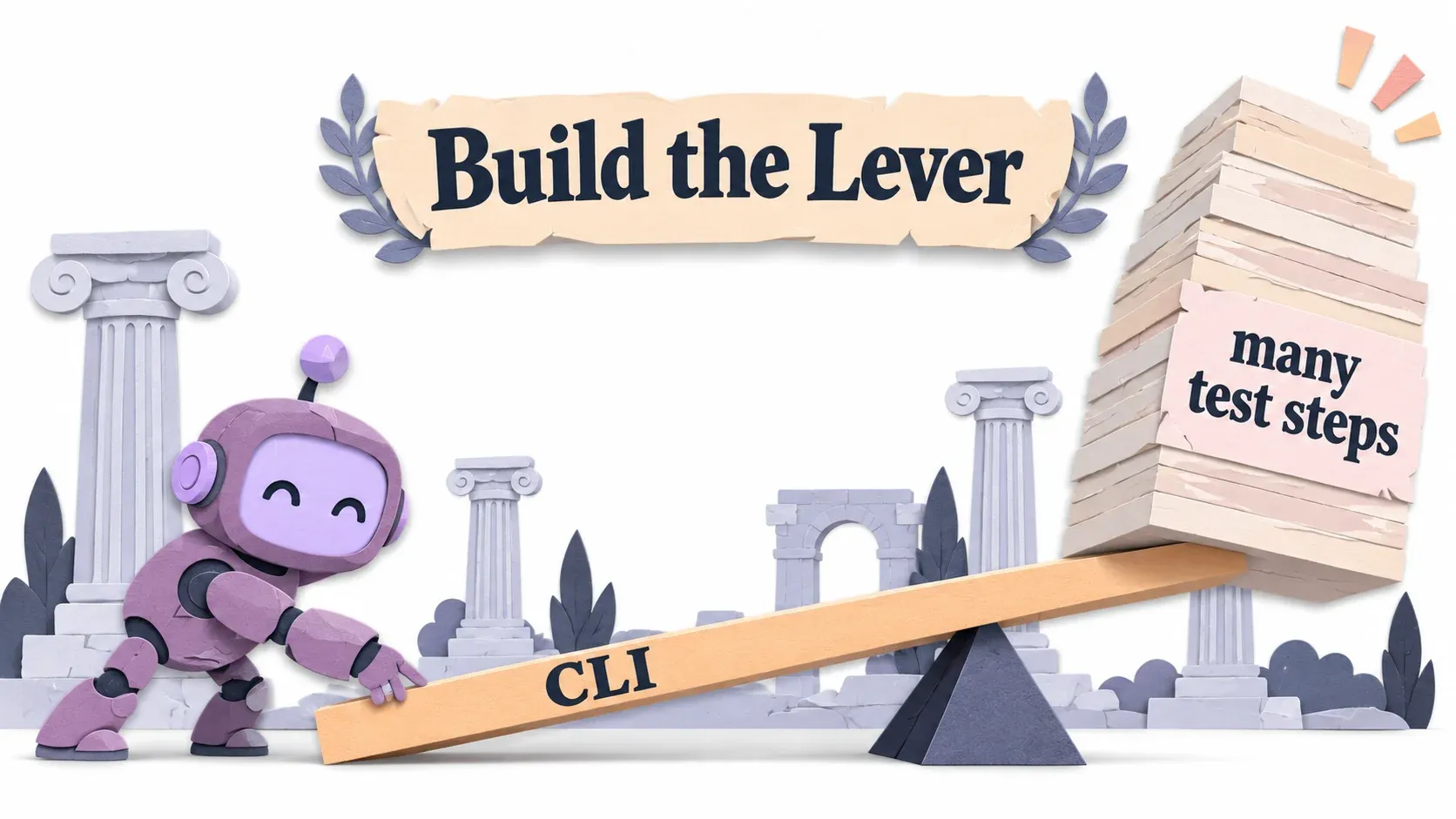
Every project and every repo needs different ways and tools to check it. So you need tools and a CLI specific to your project. This is why I asked at the start whether you know if your repo suits pstack. Here is the answer.
Once more: the goal is not more tests. The goal is for the agent to prove with real evidence that what it made works, the same way a person would check it.
The other thing /create-verification-skill builds is the Feature Map.
For the coding agent to know which features your app has, it has to search through the code, right?
If your app has a few features, that may be fine. But if it has many, the search takes a long time.
A long search is not a big deal, but if it searches often, it starts wasting tokens.
So pstack builds a Feature map, kept in markdown: where each feature is, what it does, which page the user reaches it from, and what the steps are.
Some people may wonder whether this is a good idea. I wondered myself. I already use codegraph, so I wondered whether this overlaps with codegraph. It doesn’t. The Feature map is just an overview of your project, and codegraph is as useful as before.
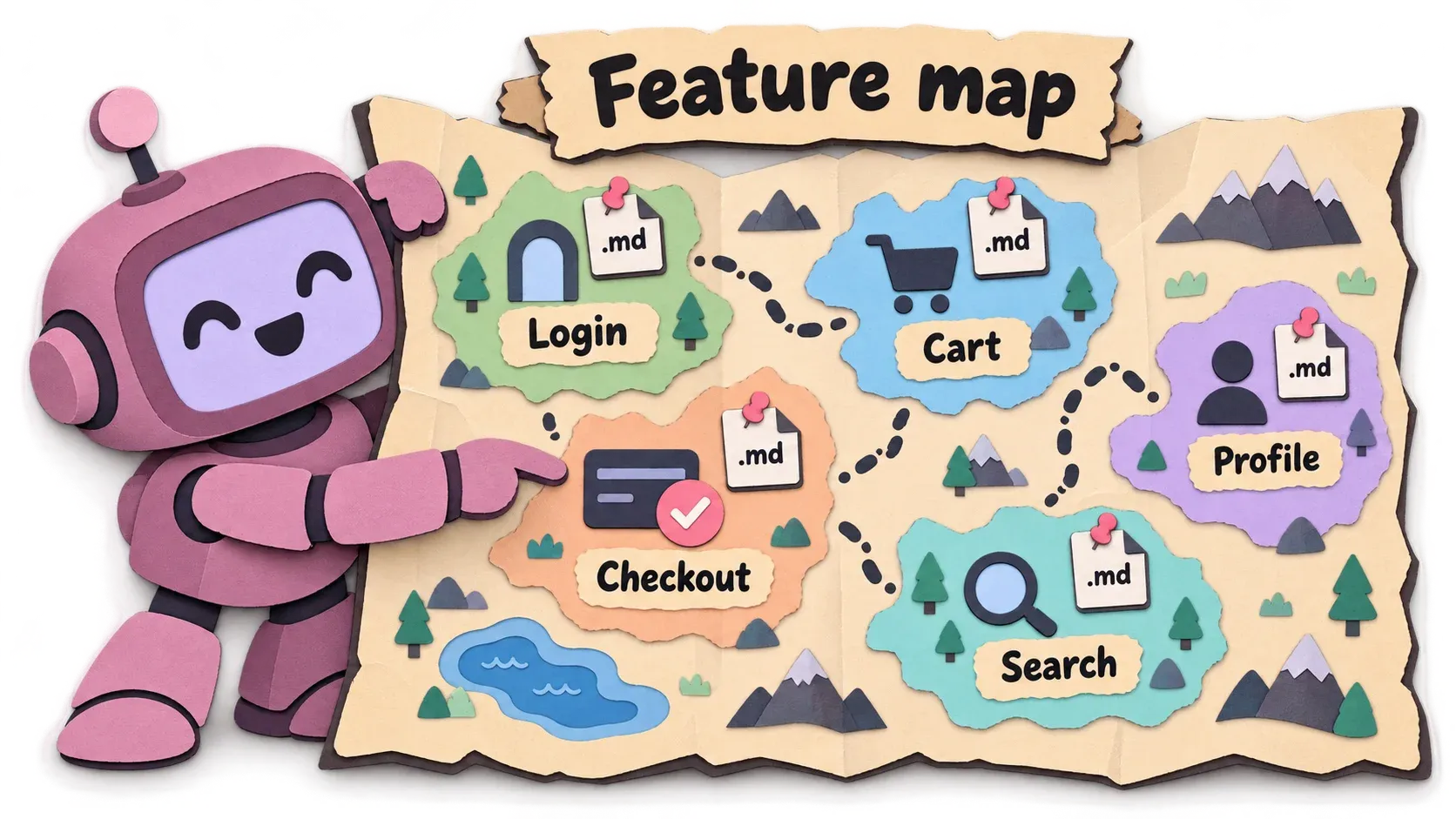
You will get lots of Markdown files if you have many features.
Some of you may ask: what about a brand-new project with nothing in it yet? Can you even build a Verification skill?
Huh, or maybe nobody wonders that. Well, I do.
The answer: pstack works in a green field project too, you just don’t build the Verification skill yet, because there is nothing to verify. Remember, the Verification skill is about building tools that mimic how a real user uses the app.
With no app at all, you don’t need to build one yet.
My personal advice for a green field project: start with Matt’s skill /grill-with-doc and talk through the Verification skill there too. Build small features first with Matt’s flow, then gradually run /create-verification-skill, and keep running /maintain-verification-skill from then on.
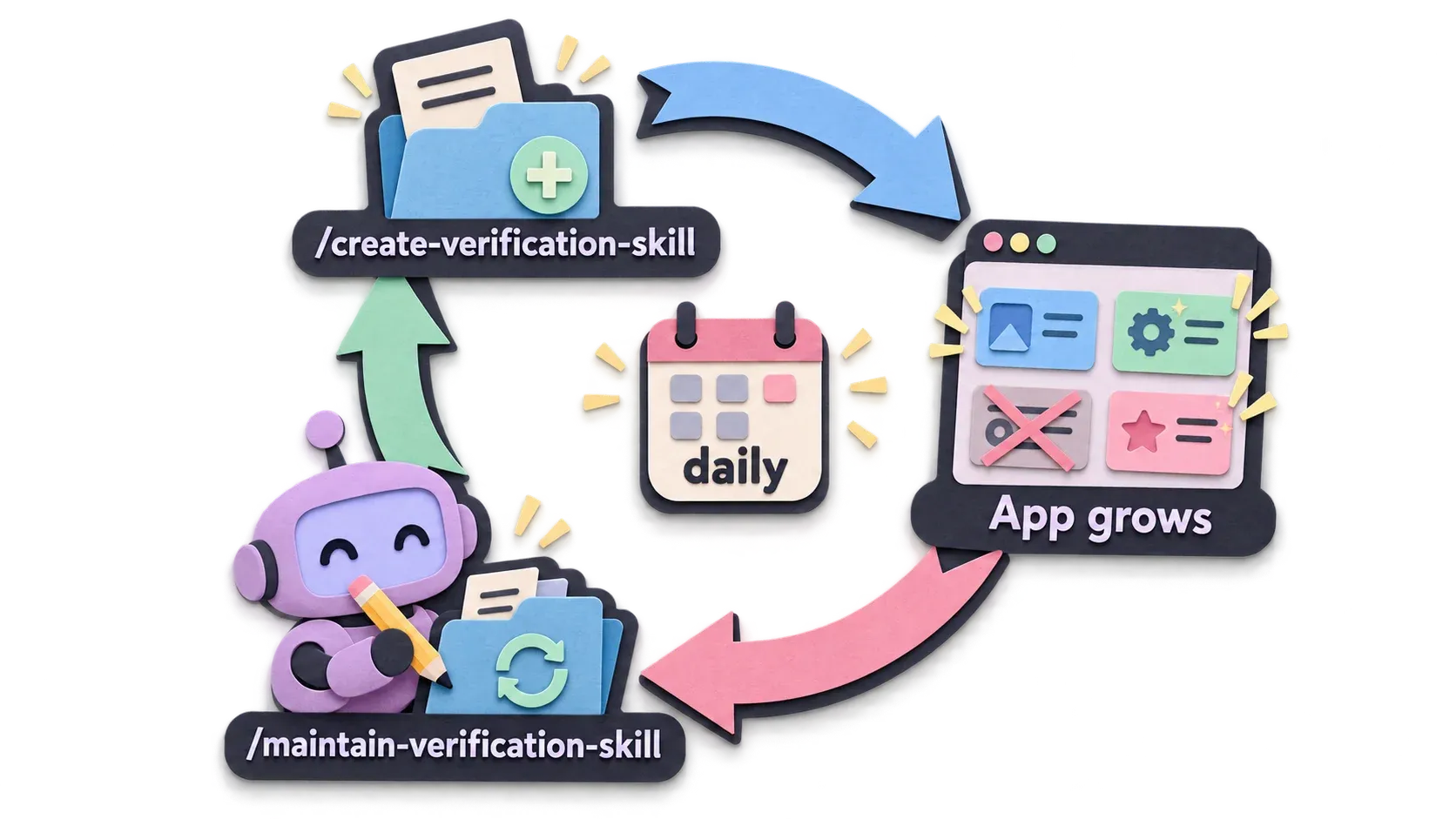
Both of these (the Verification skill and the Feature Map) need updating. Your repo is always adding features, removing features, fixing bugs and changing behavior.
So by the time you ran /create-verification-skill a while ago, it is already out of date.
That is where the /maintain-verification-skill skill comes in.
Lauren Tan recommends keeping the Verification skill and the Feature map updated all the time.
Use the /maintain-verification-skill skill every day.
And this is why I said that using it once or twice may not show much. You have to keep improving and tuning the verification skill so the coding agent can use it to check its own work.
If you really see the value, you may even want to schedule it to update automatically.
All the files live in the repo’s skill folder, for example .cursor/skills/verify-<ชื่อ app>/ (Cursor), .omp/skills/verify-<ชื่อ app>/ (omp) or .agents/skills/verify-<ชื่อ app>/ (replace the placeholder with your app name).
The feature map lives in references/features/ inside the same folder.
Other harnesses may keep it in a different folder, but the coding agent will find it anyway.
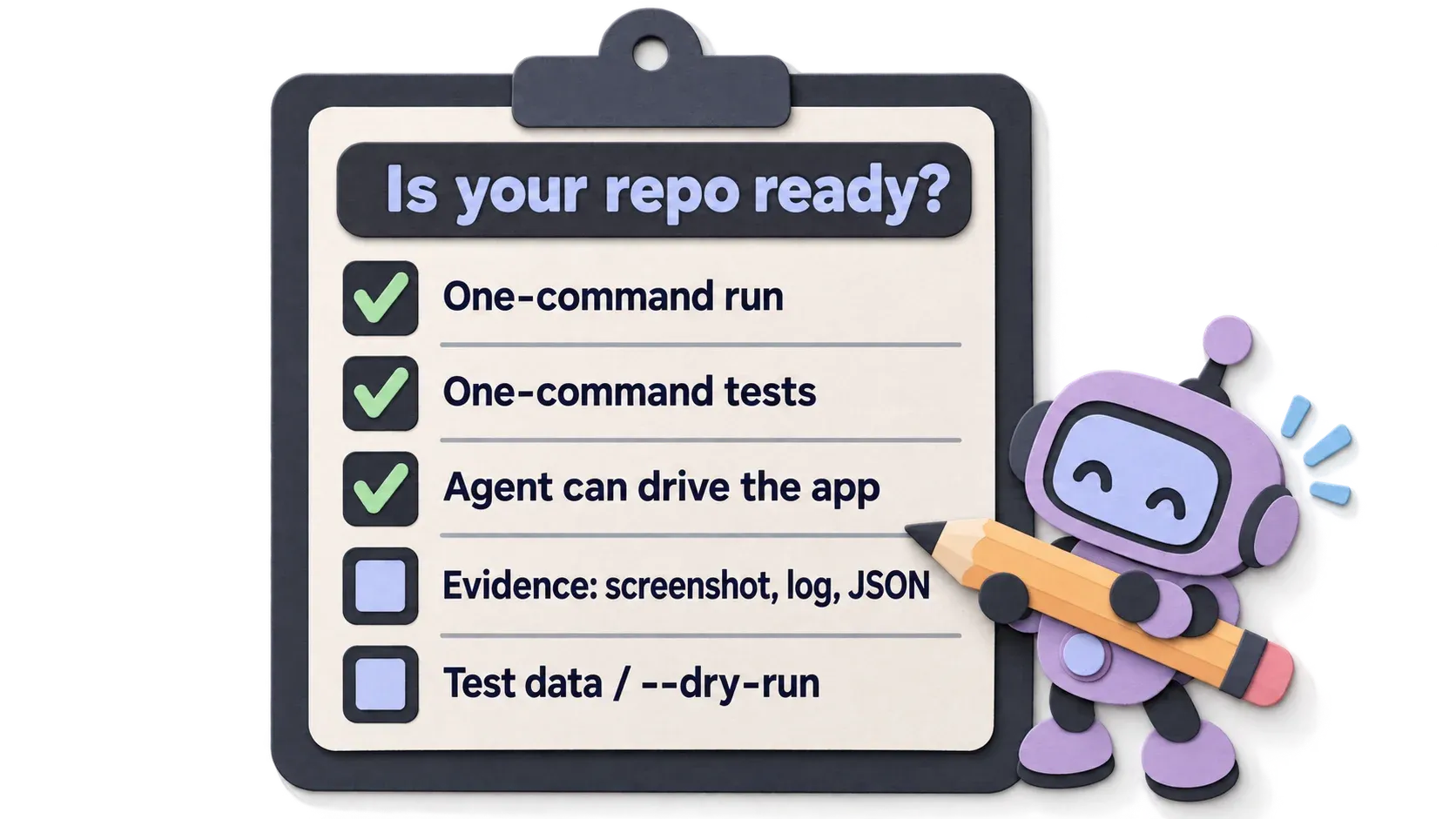
Is your repo ready for the agent to check its own work?
Ask yourself whether you have these:
- Start the app with one command, with no extra clicks from a person
- Run all tests with one command
- The agent can open the app by itself (browser, simulator, terminal) and use it like a user
- The agent can bring back evidence, such as screenshots, logs, JSON output
- Test data or a
--dry-runmode, so it can experiment without breaking real things
If you answer no to any of these, use /create-verification-skill.
2. Set up roles
As I said, pstack uses several models for the same task, then combines the results or picks the best one, depending on the task.
So pstack uses roles as a middle layer. For example, role feature, refactoring maps to Grok 4.7, and role judgment and prose maps to Claude Opus 5.5. pstack always refers to the role, and behind it you can swap models as you like. When a new model comes out, you change it in one place.
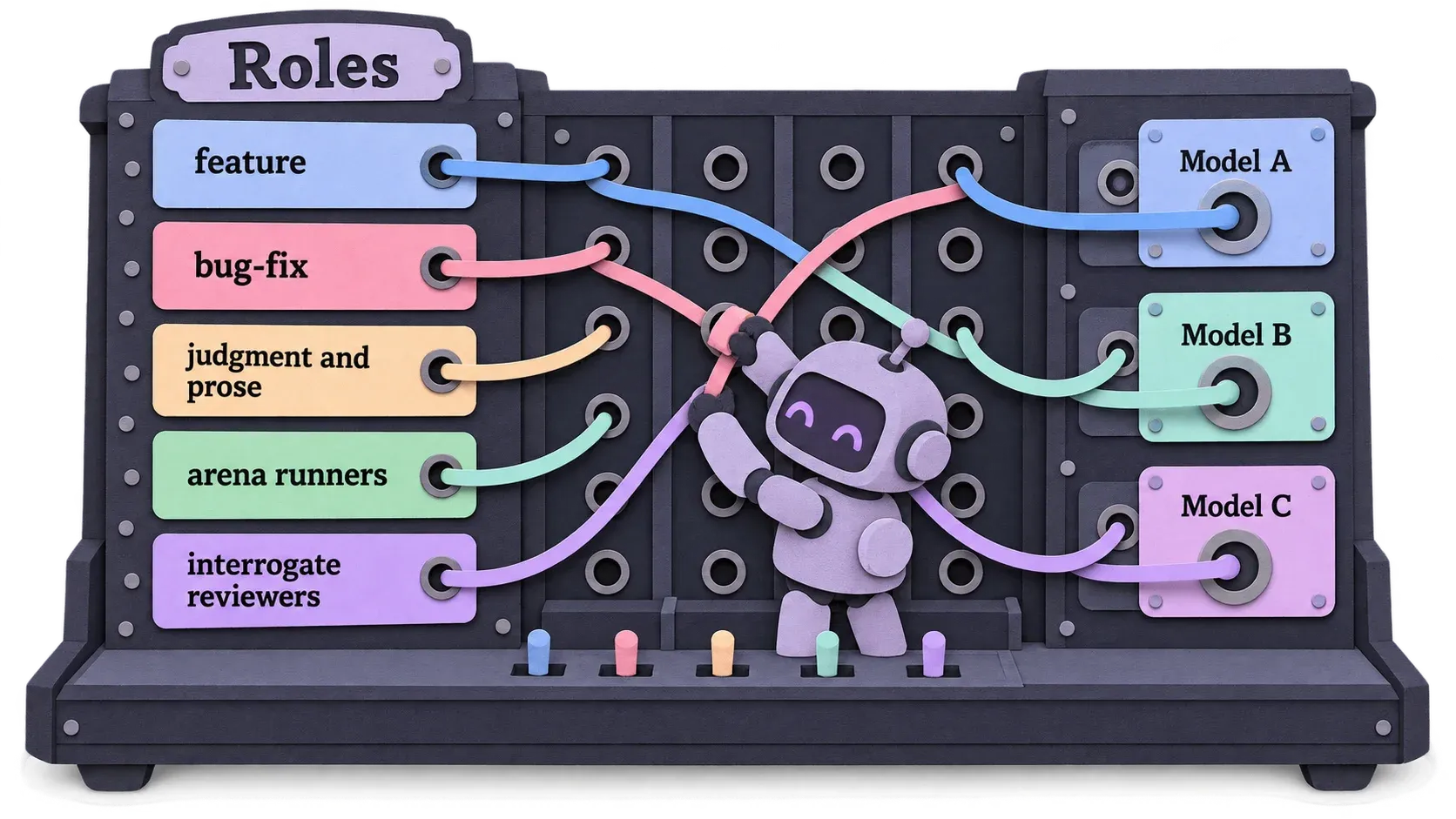
There are 17 roles in 5 groups.
- Writing code in playbooks, such as feature, bug-fix, perf-issue, hillclimb. Use fast models
- Thinking and deciding: planning, writing and the hardest tasks. Use the strongest models
- Understanding code: small fast models, plus a strong model to explain to people, in
/how/why/reflect - Competing: this group competes using several models from several vendors, as candidates and judges in
/arena/architect - Splitting and reviewing work: workers in
/swarmand reviewers in/interrogate
The full table with recommended models is at the end of the article. The recommendations are for someone with unlimited models and tokens, like Lauren Tan. Treat them as a guide, not a rule you have to follow (who could follow that?).
With pstack-claude, setup gives you markdown that says which model each role uses, and subagents are told to start with that model. The downside is that it is only an instruction for the model to read. Nothing guarantees it follows it every time.
In omp, I bind agents directly to omp’s model roles. The harness itself picks the model, so you don’t have to hope the model reads the markdown and follows it. Model roles are a native feature of omp, a perfect fit for what pstack needs. Damn good, haha. Shameless plug.
All the skills in pstack
Many people probably think Playbooks are more important, so why talk about skills first? I see them as equally important, because playbooks are built from skills. So it helps to know the skills first. You don’t need to remember them all, just skim them. In the end the playbooks call them.
Another reason: Lauren Tan wants us to have our own mode.
Take her skills and assemble playbooks that fit your project,
until you end up with a mode of your own, such as /my-mode, used alongside /poteto-mode. If you don’t know the skills, it is hard to build your own mode.
Skills you use at the start of a session
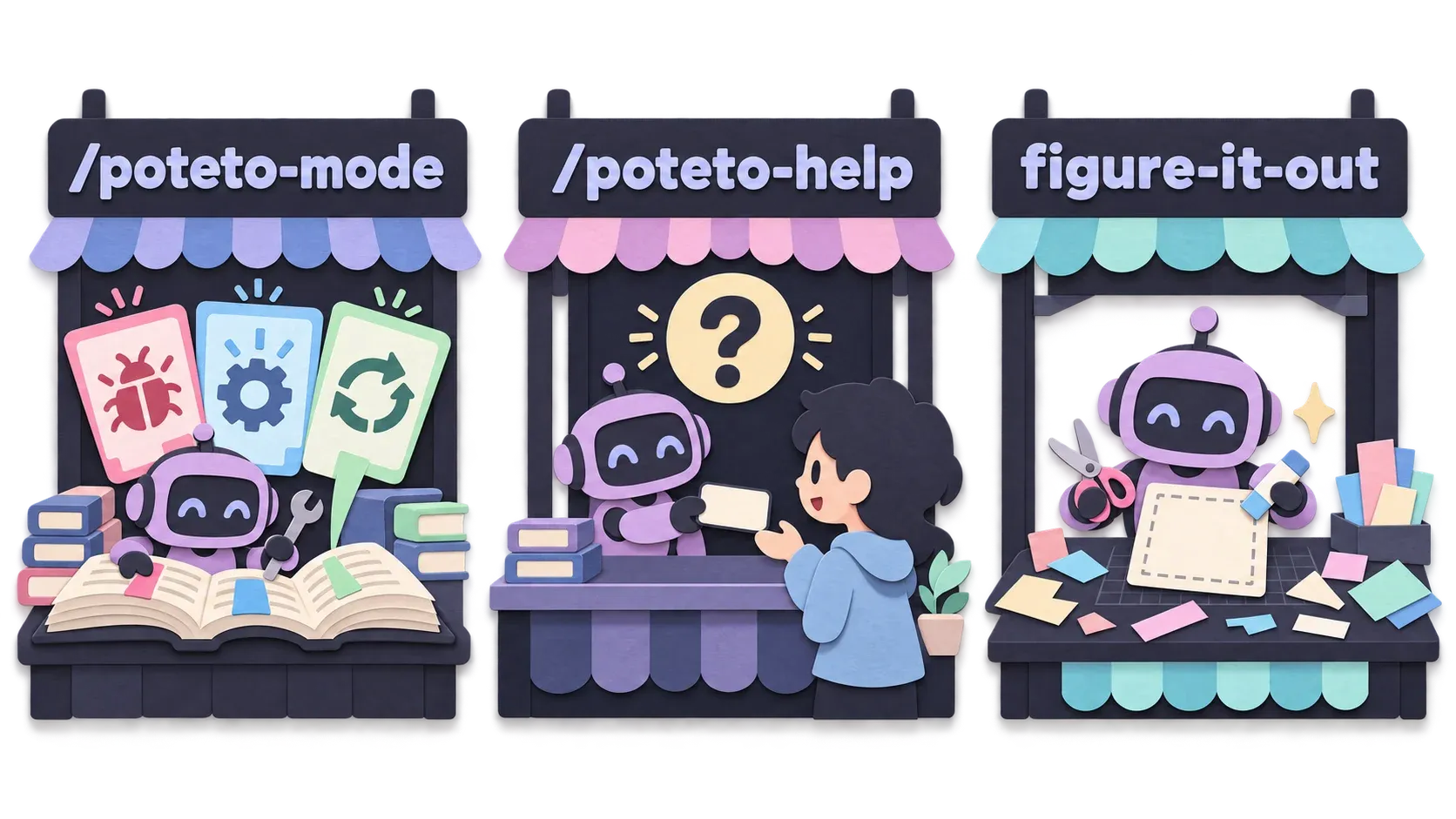
/poteto-modeis a skill. It collects all the Playbooks, like a table of contents for pstack’s Playbooks/poteto-helpis likepoteto-mode, but it doesn’t do the work for you. It gives you a prompt instead, which you paste into a new session. You can consult pstack about which skills to use, how to start with pstack, how to build a verification skill, how to set models, anything. Ask what any skill does, or have it teach you pstack Not sure how to instruct/poteto-mode? Ask/poteto-helpfirstfigure-it-outbuilds a playbook for you when none fits (details in the figure-it-out section under Playbooks below)
Understand the codebase first
-
/howexplains how the system works, focused on a specific feature or just part of a feature, depending on the question. For broad questions, like a large feature that needs a lot of searching, it spawns subagents to help -
/whyfinds out why the code is written the way it is. Code usually says what it does, not why it does it that way./whydigs for that: git logs, PRs, and if it is connected to documentation sources, it searches all of those too. Monitoring systems as well. Whatever you connect, it searches. If there is a lot, it spawns subagents to help -
/teachteaches you the code that has been written. Behind the scenes it uses/howand/whyYou can use it when reviewing a PR, to understand what the author intended and why -
/recalltells you how far the work has got. Or ask about a feature: how far along it is and what comes next. It searches old sessions, git log and PRs, then answers. Sometimes you stop working for a long time and forget./recallhelps
Designing code
Before the next skills, let me talk about design, both UI and architecture.
When you design with an agent, it proposes the first idea it comes up with, which may not be the best. You waste time fixing it over and over, nothing moves forward, and you are still doing the same thing.
Lauren Tan says you should first make several runnable versions. They don’t need to be good or tested. Pick one first, then build it for real.
3 skills help with this.
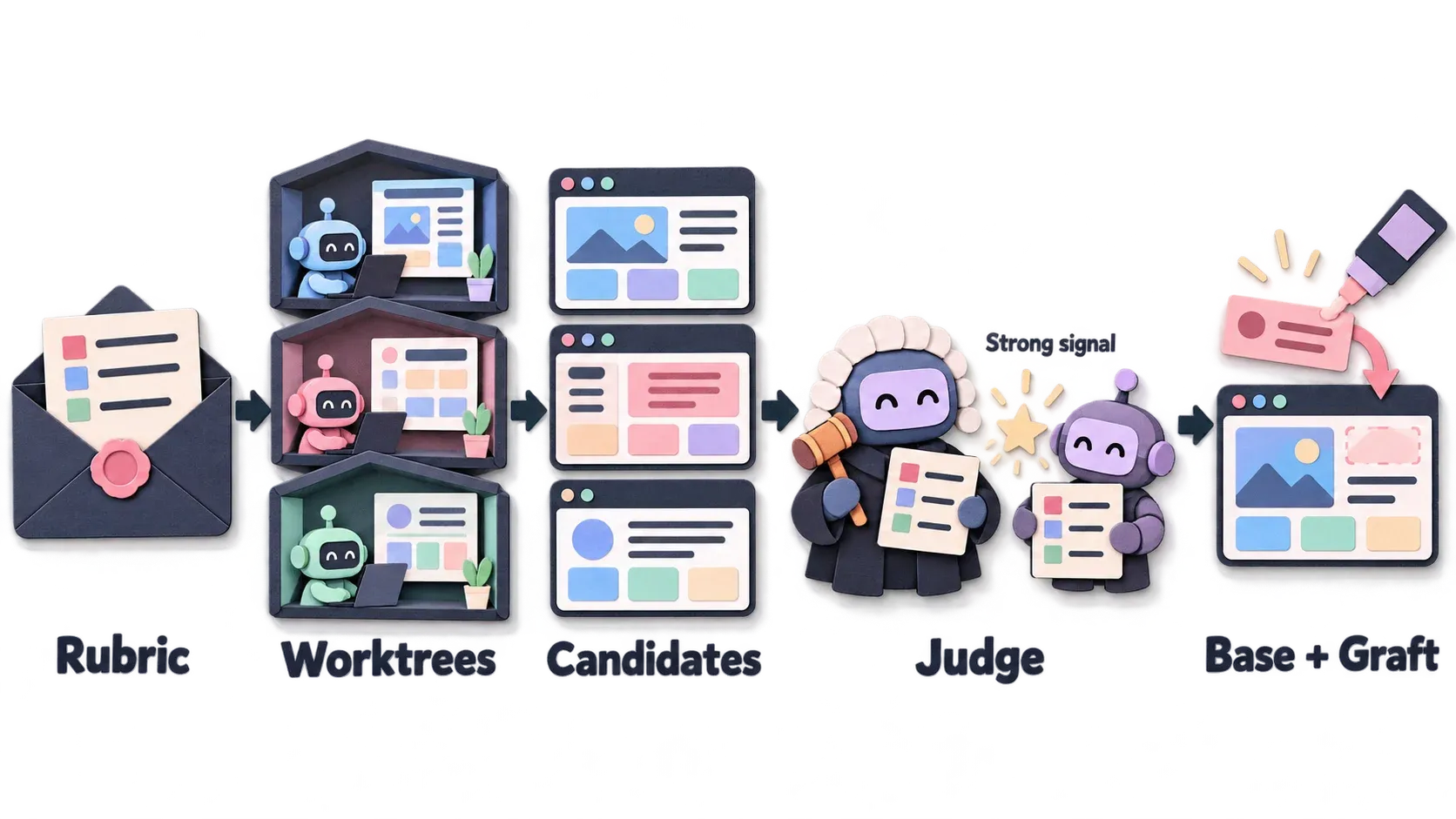
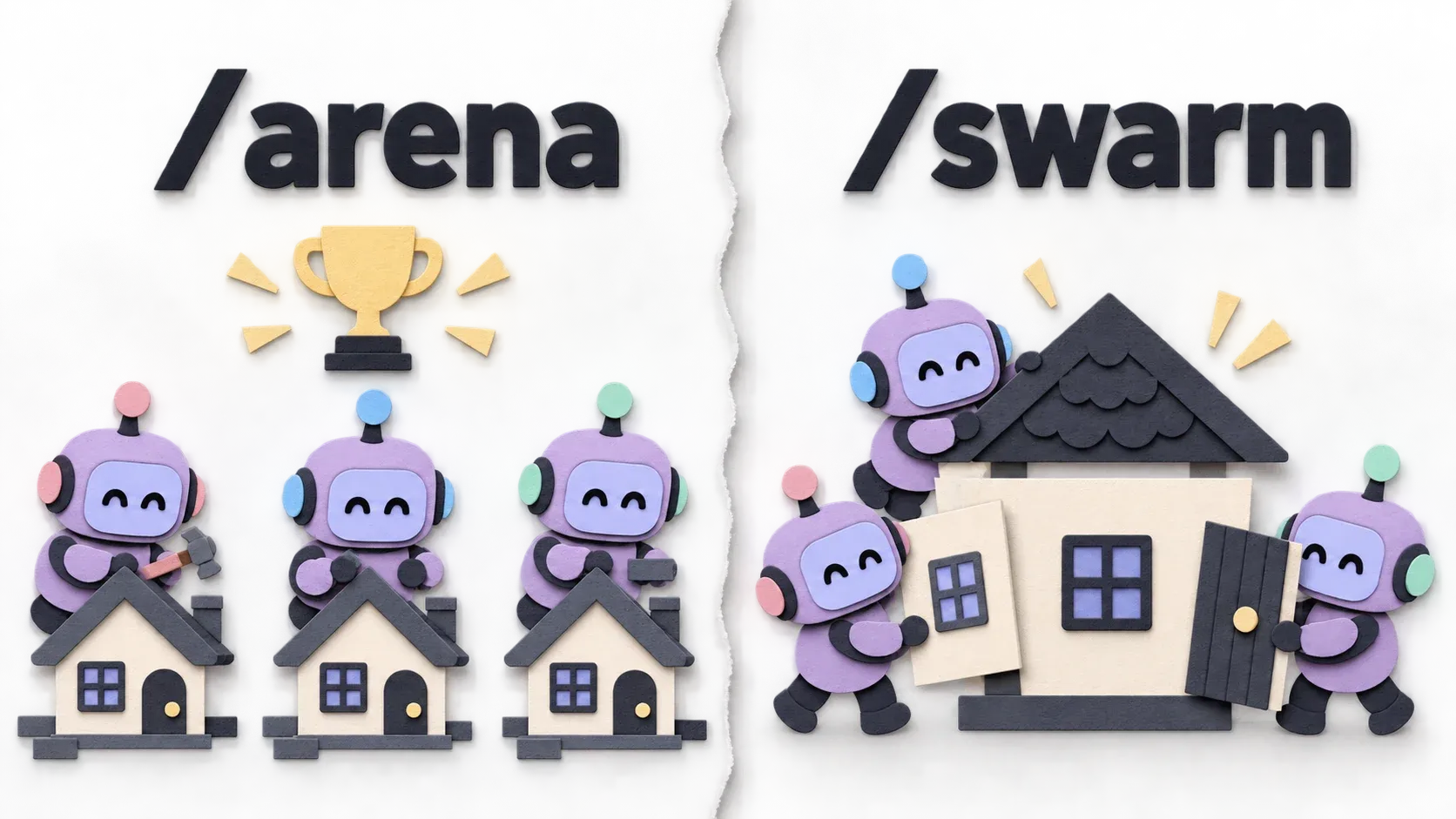
/arena is a coding competition. The main agent sends several subagents to do the same task. For example, for a UI design you get several UIs. The order is:
- The main agent writes a Rubric (scoring criteria) first
- It creates a separate worktree for each model. Which models it can use depends on your model roles setup, in the role
arena runners - It sends the prompt to the subagents without the rubric. What each one returns is a Candidate
- One Judge from the role
arena cross-judge pooland the main agent score against the rubric. Where both the main agent and the judge agree, that carries weight. This is called a Strong signal. If they disagree, it looks at each one’s reasoning first, then picks the best - It picks the best as the Base and takes good parts from other candidates to add on. This is called a Graft
/architect, as the name says, designs code structure. It also calls /how, /why, /arena. Its strength is using /arena to get the best result, and you can ask for a checkpoint with the words with checkpoint: once it has prototypes, it waits for you to choose.
Asking for a checkpoint means asking the agent to stop and wait for your answer first.
For functions or APIs, /architect writes the calling side (caller) first, then the function/API itself (callee).
Lauren Tan found that if it starts with the callee, the agent makes the code and API specs look nice only on its own side, while the caller side is hard to use.
/swarm is similar to /arena, but also the opposite. Huh, how?
/swarm splits work into small tasks, has several models do them separately, then combines the results. The work has to be truly splittable, and finding that is /poteto-mode’s job.
Checking the work
As I said, the core idea of pstack is checking the work.
After the AI agent finishes, you need to be sure users can use it, and there must be evidence.
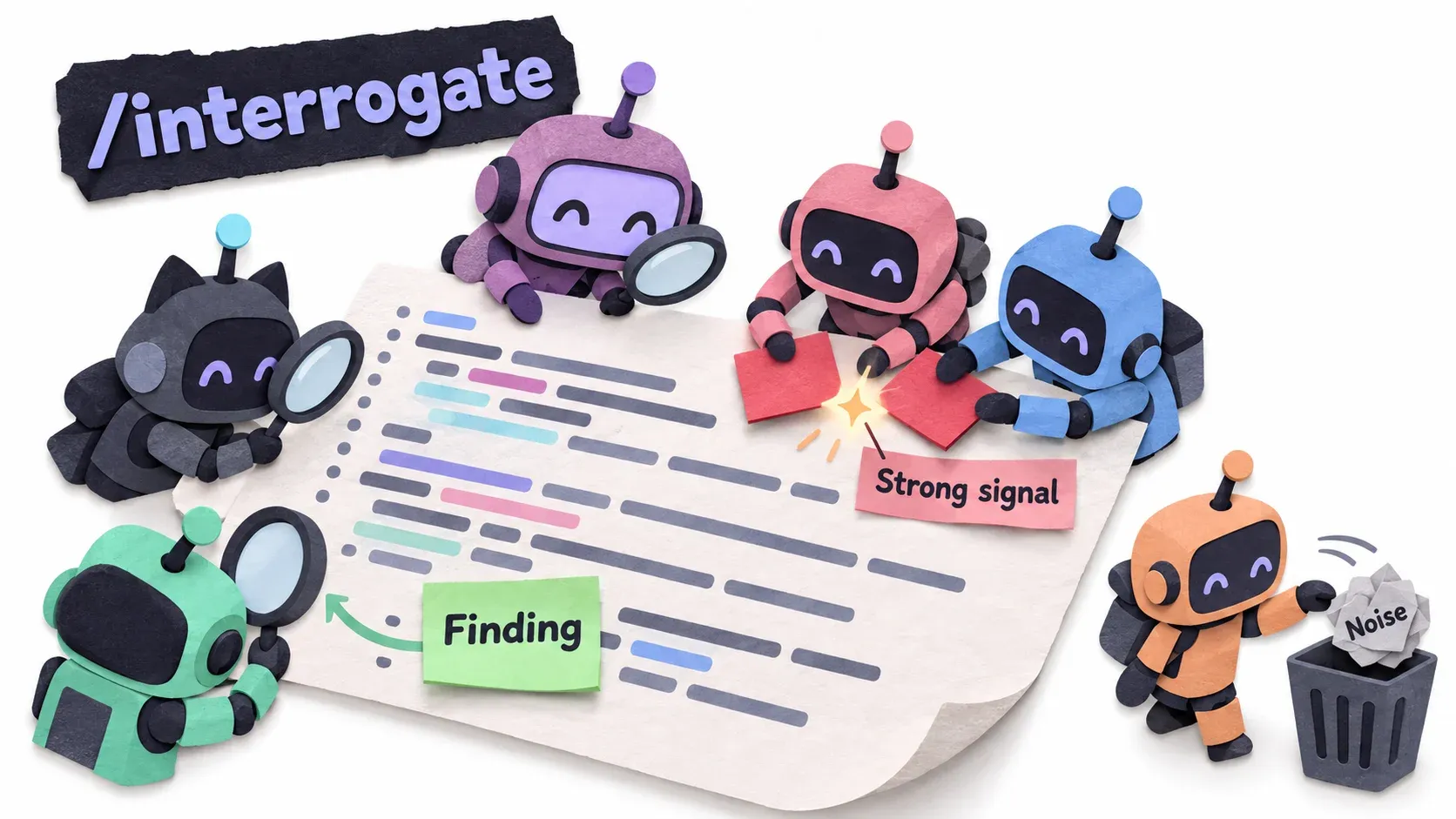
/interrogate has several models look for mistakes in the work. Before a PR goes out, it opens several subagents that each search on their own. What each finds is a Finding. If several models find the same spot, it is a Strong signal. Things found that are not really wrong or don’t matter (such as a misspelled variable name in a test) are Noise
For /create-verification-skill and /maintain-verification-skill, see Setup item 1. I’m too lazy to write it again.
/benchmark-checklist: if your work involves numbers or performance, this skill gets those numbers for you.
/blast-radius: after the agent changes code, this skill checks whether anything else broke because of the change. It sends everyone to look.
Writing code
/tdd, as the name says, you probably know it. Write a failing test first, then write code to make it pass. Familiar, but this TDD is designed for pstack.
/no-comments opens a subagent so another model looks at the finished code and says which comments should be removed. The reason: comments go stale faster than code, and what a comment tries to say is usually better enforced with types, tests or lint. Read more in the post by Mai from ThaiType ThaiType Post
/unslop is a great skill, called from many Playbooks. It removes AI phrasing from writing that isn’t code, such as:
- README.md
- PR description
- commit message
/typescript-best-practices holds TypeScript best practices, so you don’t have to type them out every time. That’s all.
/technical-writing writes technical docs that are easy to read.
Skills that help you and the agent understand each other
/bro: when the agent answers and you don’t get it, use /bro and it answers again more simply, like a bro (friend) explaining it to you.
/correct: when you have to tell the agent the same thing over and over, you get annoyed, right? For example you say to use the Service Layer when writing code, not connect to the DB Layer directly, and it still does it.
Call /correct and it helps you find a way to make the agent stop repeating it.
/ketchup: sometimes the coding agent does a huge amount of work and spits out tons of output.
You don’t read all that, right? Then it says done, maybe with a short summary. /ketchup summarizes what it did, counting from your latest message.
/in-your-own-words helps build a prompt. You have something for it to do, but you can’t put it into words. Just tell it anyway. With this skill, the agent retells it in its own words. Use it when you are not sure of your own wording.
/sharpen also helps build a prompt. It has the agent think first about how a real expert would do this task, so you get a sharp instruction out of it.
/show-me-your-work has the agent summarize what it has done. Lauren Tan often uses it after leaving work running overnight. In the morning she uses this skill to ask how the work went, and the agent summarizes it. If you can’t follow it, follow up with /bro.
Rules as skills (principles)
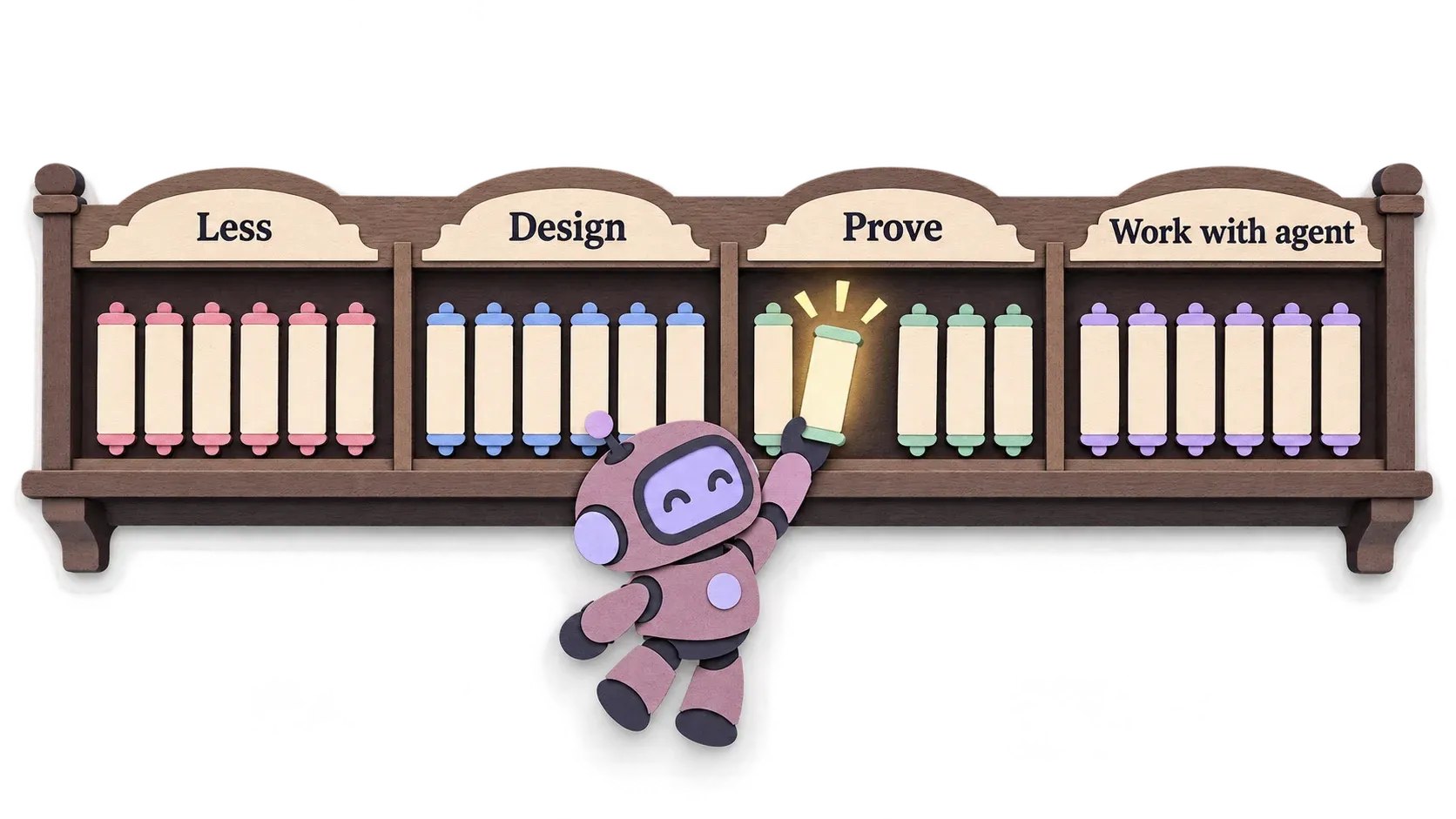
pstack has many more skills that start with principle-.
They are rules that came from times the agent got things wrong, so Lauren Tan wrote them down as skills.
Being skills helps: if a task doesn’t need a rule, the agent doesn’t read it. It only uses the rules relevant to the task.
/poteto-mode already makes the agent read these rules first, so you can just skim them. You can add your own rules too.
Keep it small
lazyiness-protocol feels like smart laziness: change as little as possible, delete whatever you can. If you know Ponytail, it’s the same idea. If you already use ponytail, it clashes directly with this skill, so please turn ponytail off if you want to use pstack. The omp plugin I made turns it off automatically when you start a new session.
subtract-before-you-add: delete the old before adding the new. Remove what won’t be used first, then write code for the task.
minimize-reader-load reduces code complexity when functions call function after function before you get an answer. If a function is only used in one place, it folds it into a single function to make the code easier for people to read.
migrate-caller-then-delete-legacy-apis: if you build a new API to replace an old one, don’t leave the old one around just in case.
outcome-oriented-execution lets the agent keep writing code even if some functions break along the way. If the goal is clear, focus on the goal. For example, when refactoring, the agent may want to split a function into 2, but it doesn’t dare delete the original because other parts would break. So it creates 2 new functions and never deletes the original. This principle fixes that: let it break, so no junk is left behind.
Design
foundation-thinking forces thinking about data structures before logic.
model-the-domain forces thinking about the business data first. For example, the system shows a status, and you use if-else in many places to handle it. This rule forces you to move that into one place.
redesign-from-first-principles: when you have a feature to add, have the AI design it as if the feature had existed from the start.
experience-first puts the user first. Make it as easy as possible for users, code comes later.
exhaust-the-design-space: for work with no precedent, make 2 to 3 prototypes.
boundary-discipline forces validating data right where it enters. For example, when an API receives a value, check it before doing anything else.
type-system-discipline forces getting the most out of the type system.
make-operations-idempotent forces the agent to build things that can be repeated and always give the same result, whether code, scripts or any tools it has to build.
Check and prove
prove-it-works forces verifying what the agent made against the real system, not just passing lint or the build.
fix-root-causes: if there is an error, find the cause instead of wrapping it in try-catch and calling it done.
sequence-work-into-verifiable-units: do a little at a time, verify, then do the next thing. Better than changing 20 files and then testing. Once more, this is a pstack rule. Some people may disagree with the approach, which is a matter of perspective. In the end, go build your own mode, /my-mode. Personally I like the pstack approach.
test-behavior-not-implementation stresses testing what the user will see, not just the internals (I don’t know a better word). The app should break because a user breaks it (when there are bugs), not because you moved code around. This one is hard to explain, sorry.
explain-the-number: before trusting performance or benchmark numbers, you must be able to say what makes the number reach that level, and be sure you measured the right thing.
Working with agents
build-the-lever has the AI build tools for repetitive work. Make it a script and keep it.
attack-the-premise: if the AI fails twice, stop and ask whether what it set out to do was wrong from the start. Test that premise with a simple check first, then make the third attempt.
separate-before-serializing-shared-state is usually used with /arena or /architect, which send out subagents. Instead of subagents waiting for another subagent to finish, open a worktree.
guard-the-context-window: when a task needs a lot of reading, such as finding something in the code or understanding code, open subagents to read in parallel and summarize once. That way the context window doesn’t fill up and push you into the dump zone sooner.
never-block-on-the-human: for reversible work, just do it, don’t wait to ask.
encode-lessons-in-structure is the rule used by /correct. If you have to say something twice, enforce it with a type, lint, check or script instead.
Skills for building your own mode
/automate-me has the coding agent read your chat history across all sessions, find your working habits, and help build your own mode, such as /my-mode.
/reflect: when you finish some work and call /reflect, it gives the chat history to 3 reviewer subagents to see what went wrong in the work, then proposes creating or editing skills so it doesn’t happen next time. Very similar to Matt’s /retro skill. Someone must have copied someone’s homework, haha. I think Matt copied it, haha, since he released his after the video where he interviewed Lauren Tan.
Playbooks
A Playbook collects clear steps for a particular kind of work, like a recipe.
Developer work usually splits into many kinds: fixing bugs, building features, improving speed, fixing a slow app, refactoring for maintainability, and much more.
Each kind of work has different steps, right?
Lauren Tan splits it the same way and records the steps for each kind of work. She calls these Playbooks. When you need to fix bugs, you just pick the bug-fixing playbook and follow its steps.
Once more: a Playbook has clear steps written down already.
How to use /poteto-mode the right way
You use playbooks through /poteto-mode, and let it pick the Playbook for you.
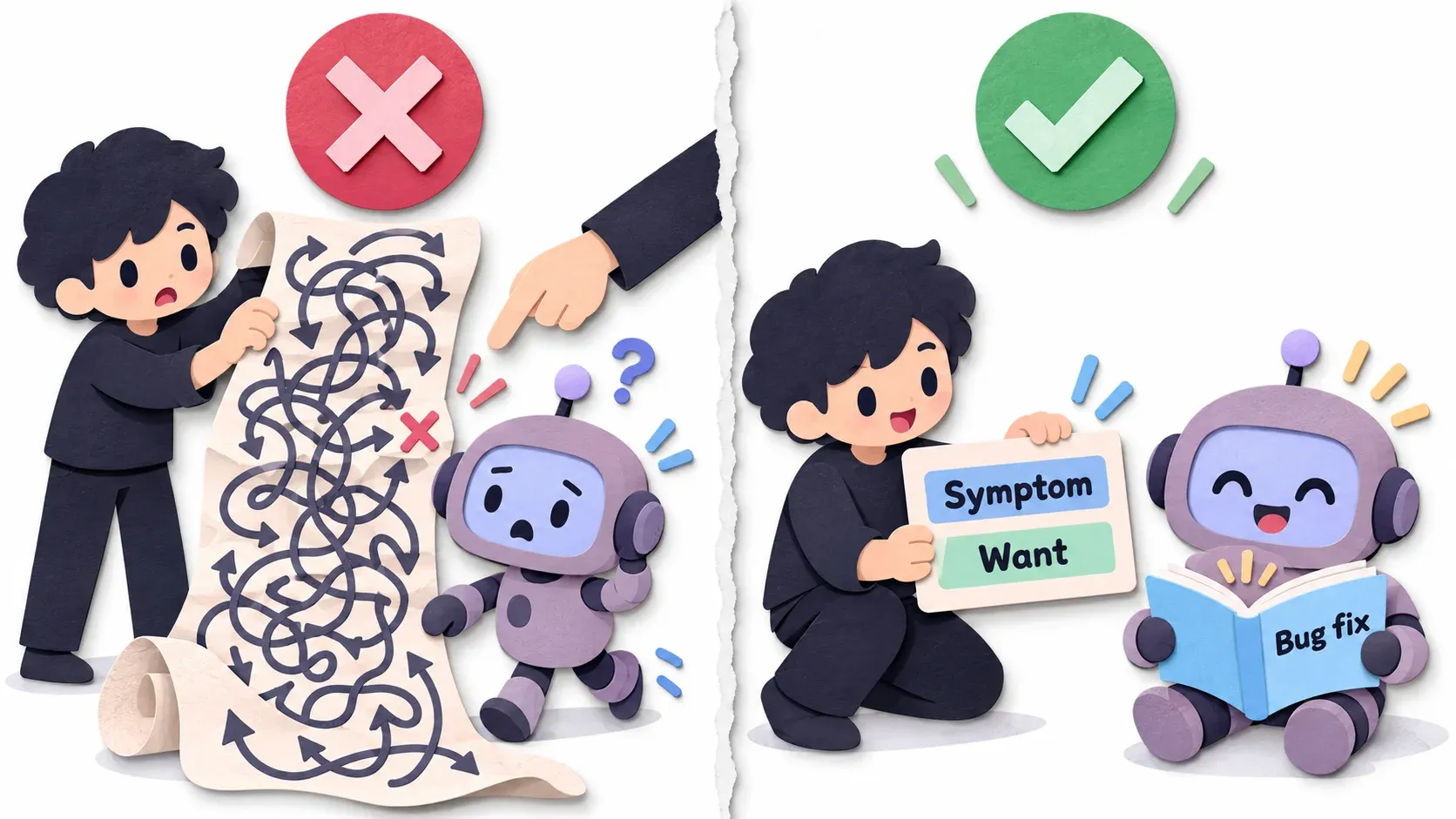
Just say what you ran into and what you want. Don’t give steps and don’t give your hypothesis. Let it look first. You may have a hunch that it’s definitely over there. Keep it to yourself for now, then see whether it matches what you thought.
The reason: the steps you give may conflict with the playbook or be incomplete, and your hypothesis pulls the agent to look there first. You don’t even know yet whether your hypothesis is right. And the AI loves it, it wants to please you, so it goes looking where you pointed.
Example ❌ Giving steps and a hypothesis
/poteto-mode กดปุ่ม Send สองครั้งเร็วๆ แล้วลูกค้าได้ email 2 ฉบับ น่าจะเป็นที่ debounce ใน SendButton repro ก่อน แล้วค่อยแก้และ verify✅ Only the symptom and what you want
/poteto-mode กดปุ่ม Send สองครั้งเร็วๆ แล้วลูกค้าได้ email 2 ฉบับ อยากให้ได้ฉบับเดียว(Both prompts are in Thai. The first says: “Clicking Send twice quickly sends the customer 2 emails, probably the debounce in SendButton, repro first, then fix and verify.” The second says: “Clicking Send twice quickly sends the customer 2 emails, I want only one.”)
When /poteto-mode reads this, it knows it’s a bug. It picks the Bug fix playbook, copy-pastes every step of the playbook into the TODO list, and follows them all.
For example, a list like this (in the Thai original I translated it into Thai for readability; the real one is the playbook’s English, word for word, unedited)
[x] 1. Repro บนหน้าเว็บเอง: กด Send 2 ครั้ง → ได้ 2 ฉบับ เกิดซ้ำ 5/5 ครั้ง[x] 2. หา root cause: ตั้ง hypothesis 3 ข้อ แล้วตัดทีละข้อด้วย log[ ] 3. วางแผนแก้ (ถ้าแก้หลายไฟล์ ใช้ /architect)[ ] 4. Verify บนหน้าเว็บเดิม: กด Send 2 ครั้ง → ต้องได้ 1 ฉบับ[ ] 5. เรียง commit: test ที่ fail มาก่อน ตามด้วย commit ที่แก้[ ] 6. เปิด PR(The steps: 1. Repro on the web page: click Send twice, get 2 emails, 5/5 times. 2. Find the root cause: 3 hypotheses, ruled out one by one with logs. 3. Plan the fix (use /architect if it touches many files). 4. Verify on the same page: click Send twice, must get 1 email. 5. Order the commits: the failing test first, then the fix. 6. Open the PR.)
It has to copy-paste into the TODO list because AI agents tend to skip steps they think are unnecessary. Usually they decide on their own that a step isn’t needed and drop it. This is another standout feature of pstack.
What /poteto-mode puts in the TODO list comes in 3 kinds.
- Steps from the playbook, word for word
- Todos the agent comes up with for this specific task, added on top of the Playbook
- Todos the playbook tells it to add, such as the 4 throughput checkpoint items in the example below
Any item it won’t do must not be deleted. It has to write a reason (skip: or n/a:).
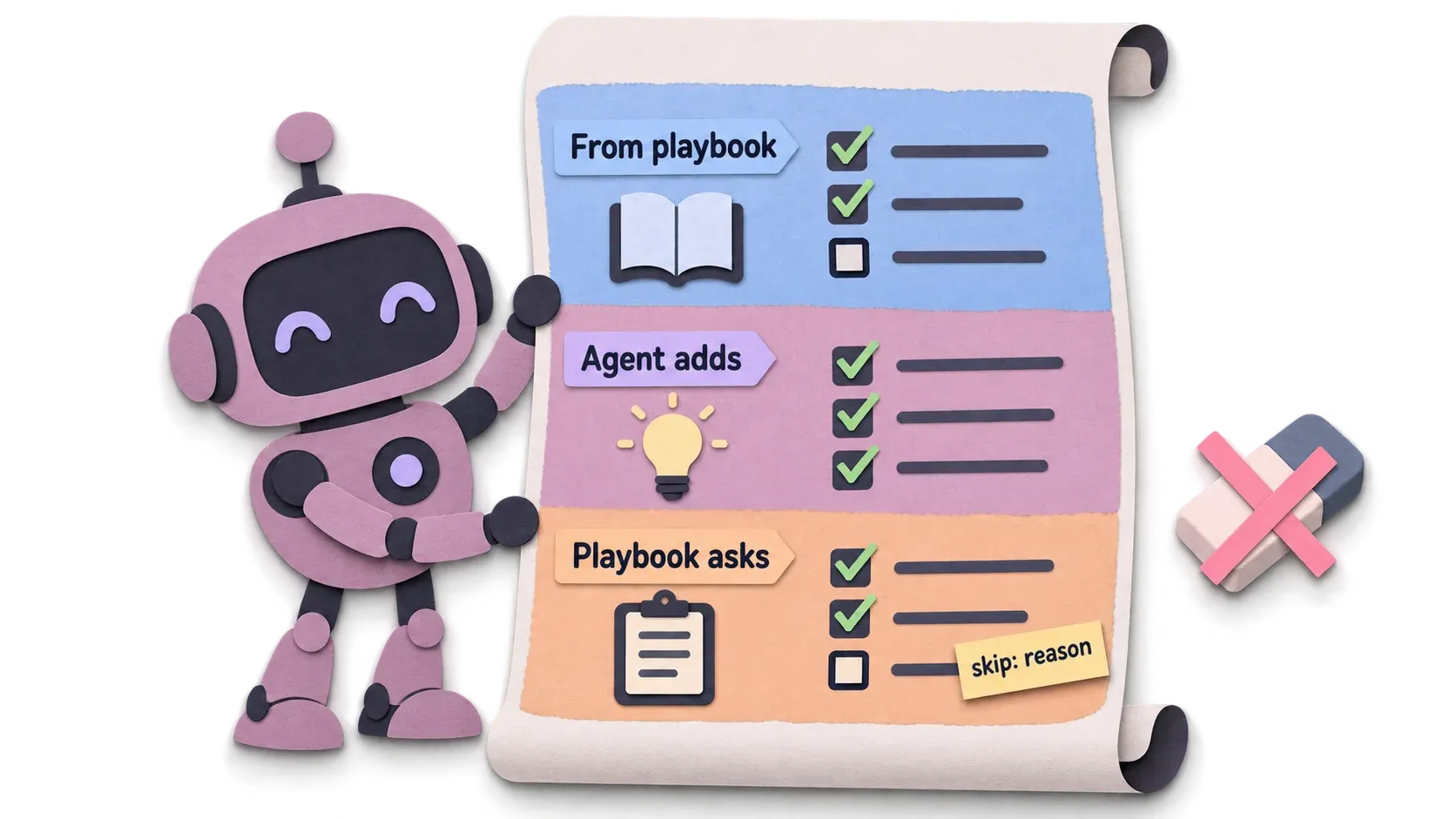
An example TODO list for building a feature. You can ignore the content. I just want you to see what kind of TODO list each part produces.
— ส่วนที่ 1: ขั้นตอนจาก playbook Feature (คัดลอกคำต่อคำ)[x] 1. how over the affected subsystem.[x] 2. architect for parallel design exploration.[x] 3. Write the throughput checkpoint as four todo items. ...[ ] 4. Delegate code-writing to a subagent ...[ ] 5. Verify on the matching surface. ...[ ] 6. Rebase into small, ordered commits. Stack follow-ups. ...[ ] 7. If the design is contested, interrogate before shipping.       skip: ดีไซน์ผู้ใช้ตกลงแล้ว[ ] 8. Run Opening a PR.
— ส่วนที่ 2: todo ที่ agent คิดเองสำหรับงานนี้[ ] เพิ่ม flag --json ใน cli/args.ts[ ] เขียนฟังก์ชันแปลงผลเป็น JSON ใน export/format.ts[ ] เทียบ output แบบ text ก่อน/หลังว่าเหมือนเดิมทุก byte[ ] รันทั้งสองแบบกับ sample project แล้วเก็บ output เป็น evidence
— ส่วนที่ 3: todo ที่ขั้น 3 สั่งให้เพิ่ม (throughput checkpoint)[x] Blocking first steps: ต้องตกลงรูปแบบ JSON ก่อนเขียนโค้ด[x] Independent workstreams: n/a: แก้แค่ 2 ไฟล์ ไม่มีงานแยกขนาน[x] Shared mutable state: n/a: ไม่มี state ที่แชร์กัน[x] Smallest safe decomposition: subagent ตัวเดียวพอ เพราะงานเล็ก
(Part 1 is the Feature playbook’s steps, copied word for word; step 7 is skipped because the user already agreed on the design. Part 2 is the agent’s own todos: add a --json flag in cli/args.ts, write a function that formats results as JSON in export/format.ts, compare the text output before and after byte for byte, run both modes on a sample project and keep the output as evidence. Part 3 is what step 3 asked for: agree on the JSON format before writing code; no independent workstreams, only 2 files; no shared state; one subagent is enough because the task is small.)
The playbooks one by one
There are a lot. I didn’t count.
I split them into ones you’ll probably use often and ones you won’t. If you want to skim, skip ahead.
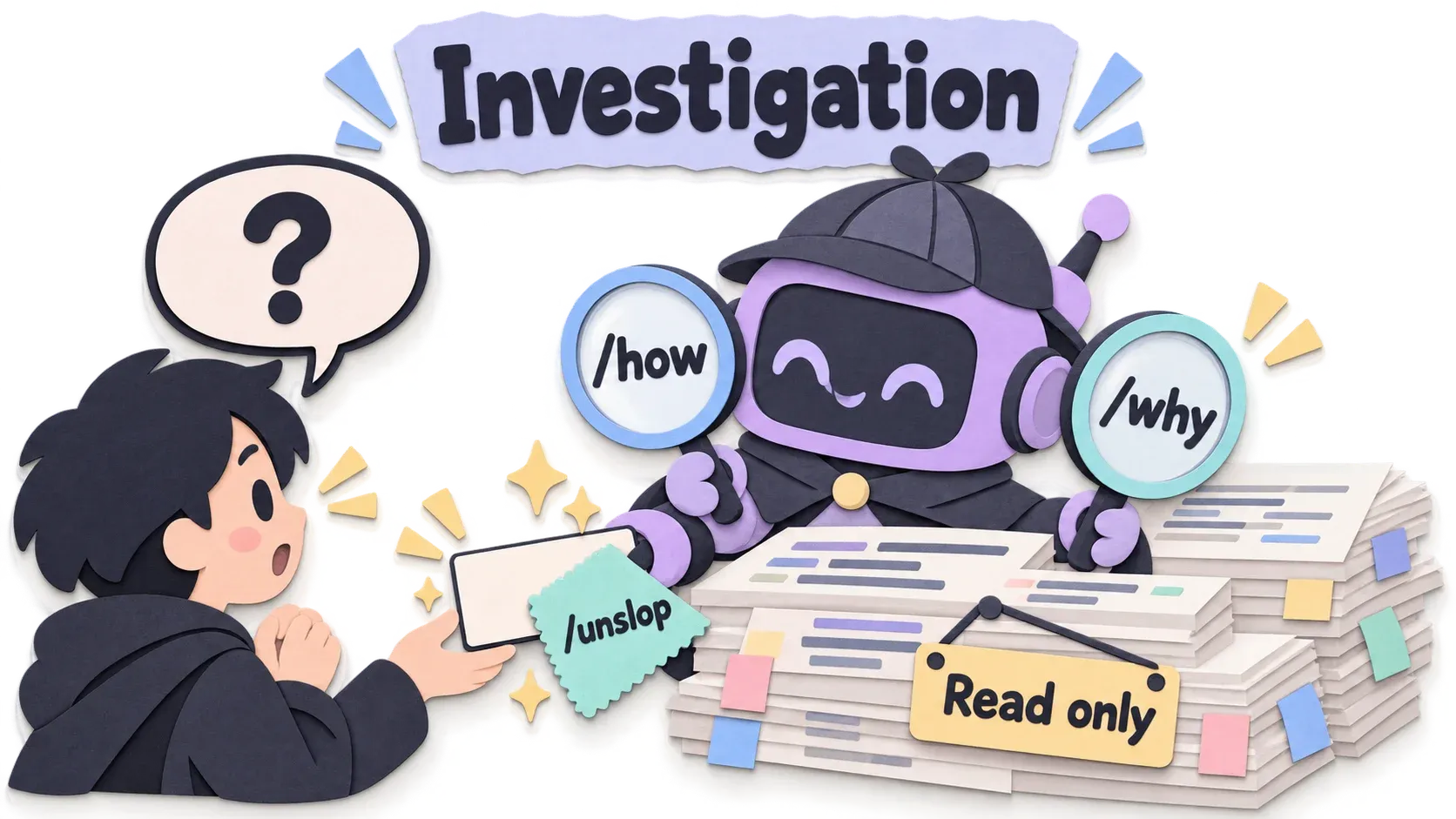
Investigation
Use this playbook when you ask a question and don’t want code changed.
For example: “How does this part work? Don’t change any code yet.”
The investigation playbook calls skills such as /how, /why to explain the system. Once it has the answer, it calls /unslop to polish it so it reads like a human wrote it.
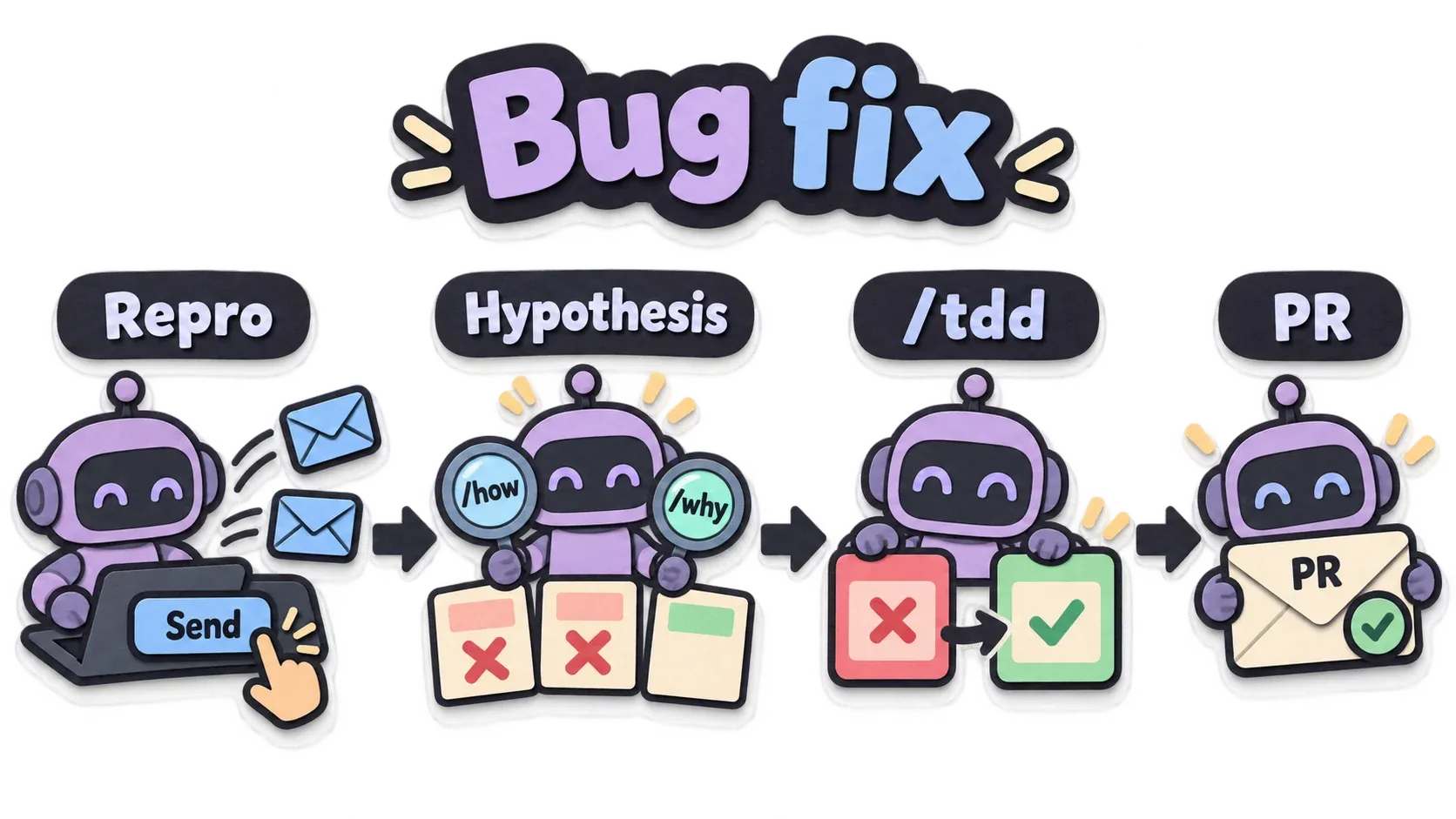
Bug fix
As the name says, for fixing bugs.
For example, a user double-clicks the send email button and gets the same email twice.
The Bug fix playbook reproduces the problem first, then uses /how, /why to form a hypothesis about the cause. If the fix touches many places, it uses /architect to have subagents compete. It writes the fix with /tdd and finishes with Opening a PR
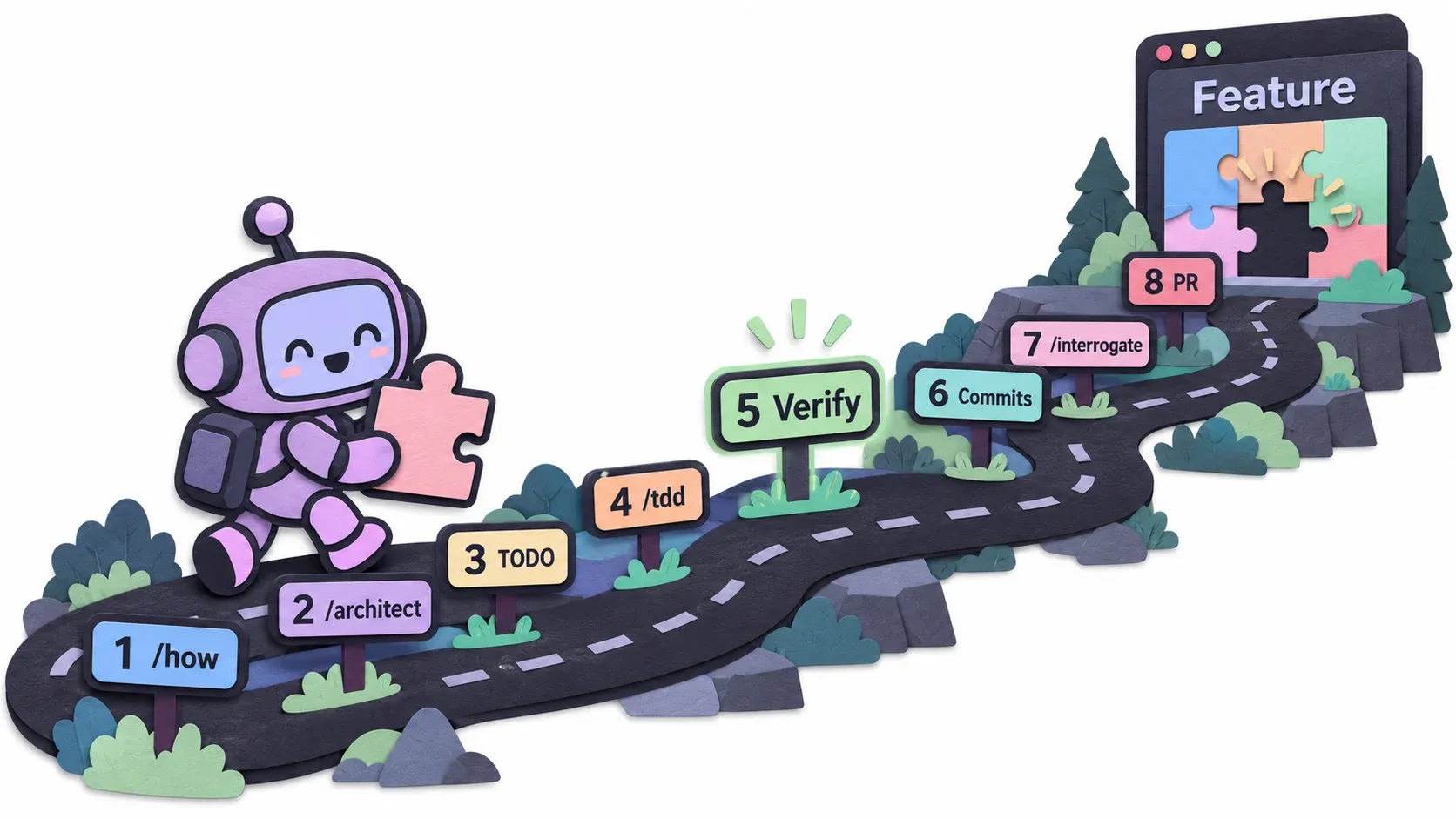
Feature
Also as the name says, for adding a feature. The feature playbook:
- calls the
/howskill to look at the related parts - uses
/architectto compete on designs - once it has a result and gets serious, writes the todo list
- sends subagents to do the work with
/tdd. If there are several ways to write it, it uses/arenato compete again inside - verifies the work
- arranges small commits
- uses
/interrogateonce more to be sure - opens a PR
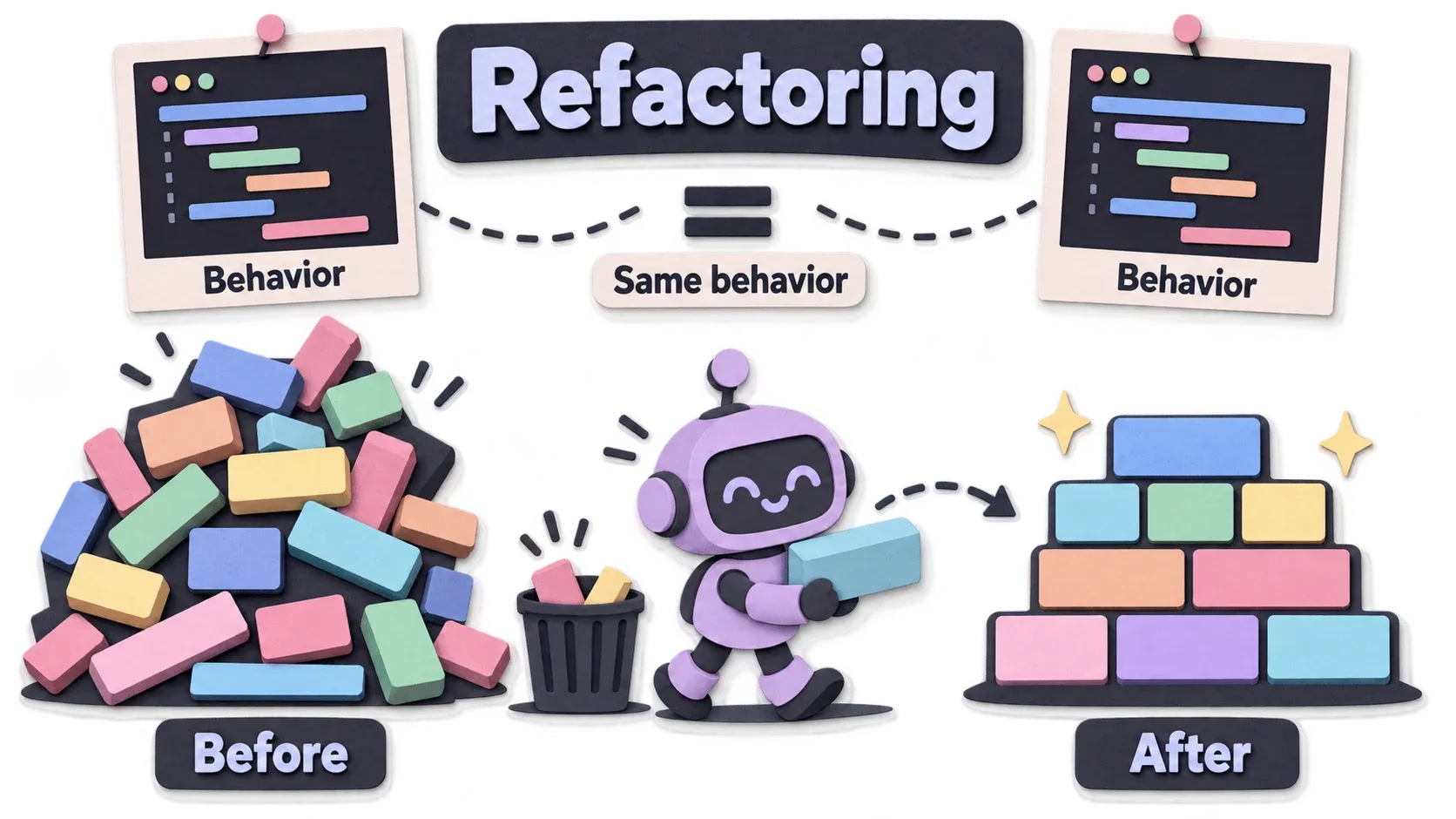
Refactoring
Helps refactor code, as the name says. It goes like this:
- uses
/howto find out how the system behaves, and records it first - uses the principle
model-the-domainto see whether the code is missing an important structure - uses
/architectto get a good structure - uses the principle
subtract-before-you-addto delete anything unused - moves things a little at a time
- checks that the behavior is still the same
- checks again whether the code is really easier to read; if not, throws it away and starts over
- commit & PR
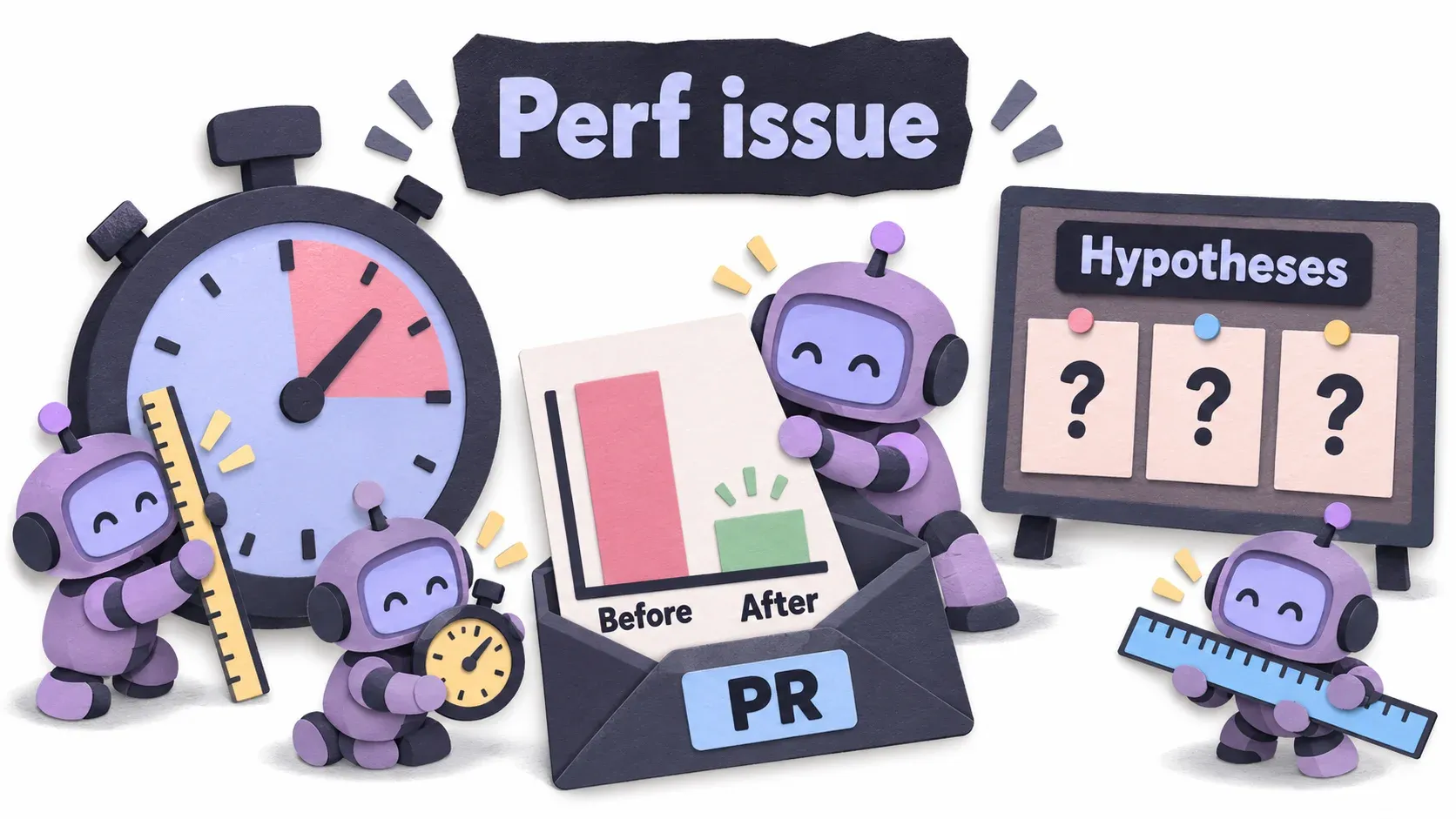
Perf issue
Have pstack improve performance. Roughly these steps:
- collect data first: traces and numbers, with
/benchmark-checklist - use
/howto find where it is slow, make observations, and form several hypotheses about the slowness - plan the measurements and have subagents measure
- put the before/after numbers in the PR and open it
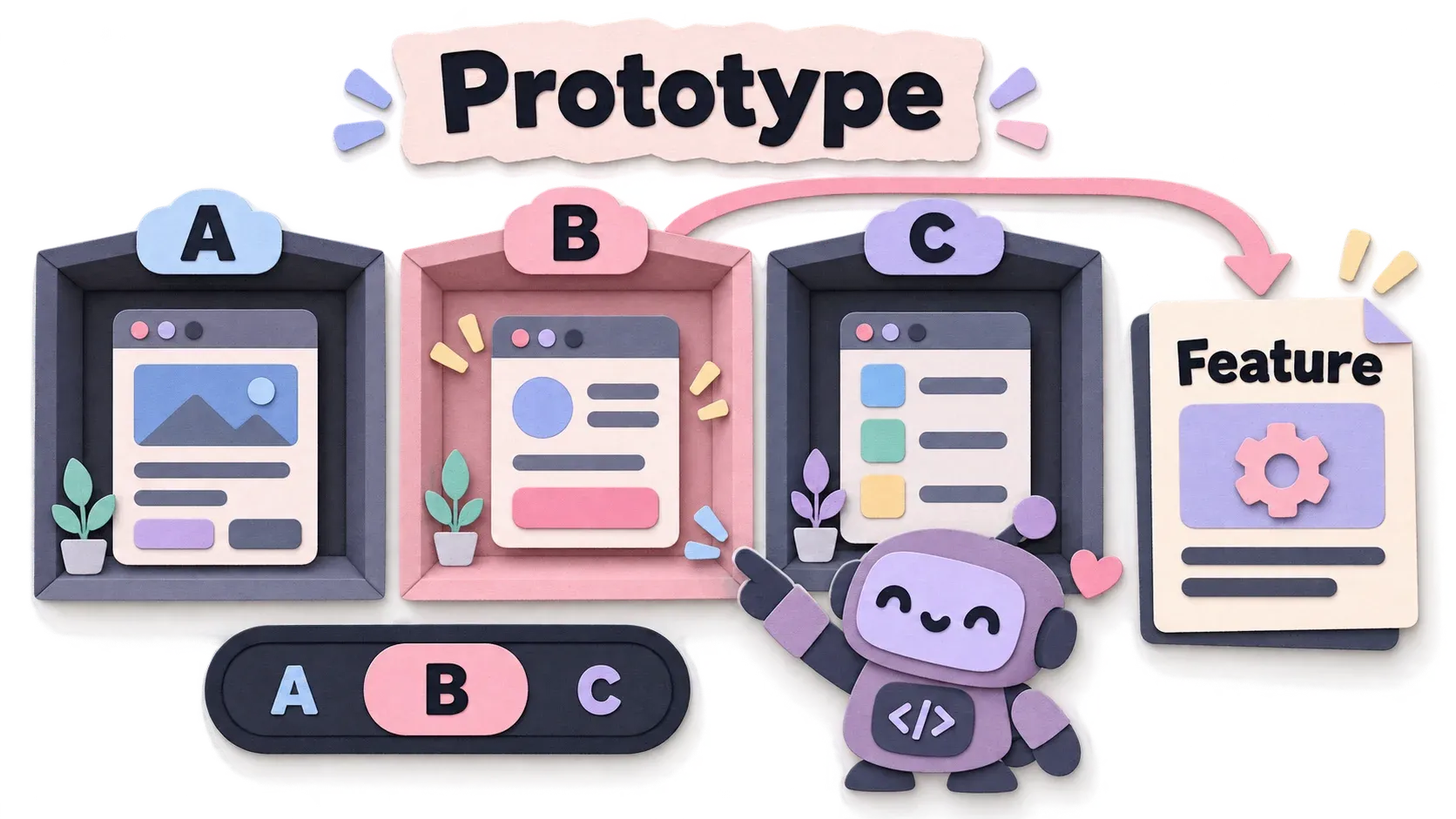
Prototype
Use it when you aren’t sure what you want yet. Have it build prototypes for you to choose from. The steps:
- understand what it’s about first
- find reference examples
- build prototypes in a separate folder or a separate worktree
- if it can add a toggle to switch between them, do it, to make choosing easier
- take screenshots or start a server for you to choose, with recommendations
- once you choose, it switches to the Feature playbook
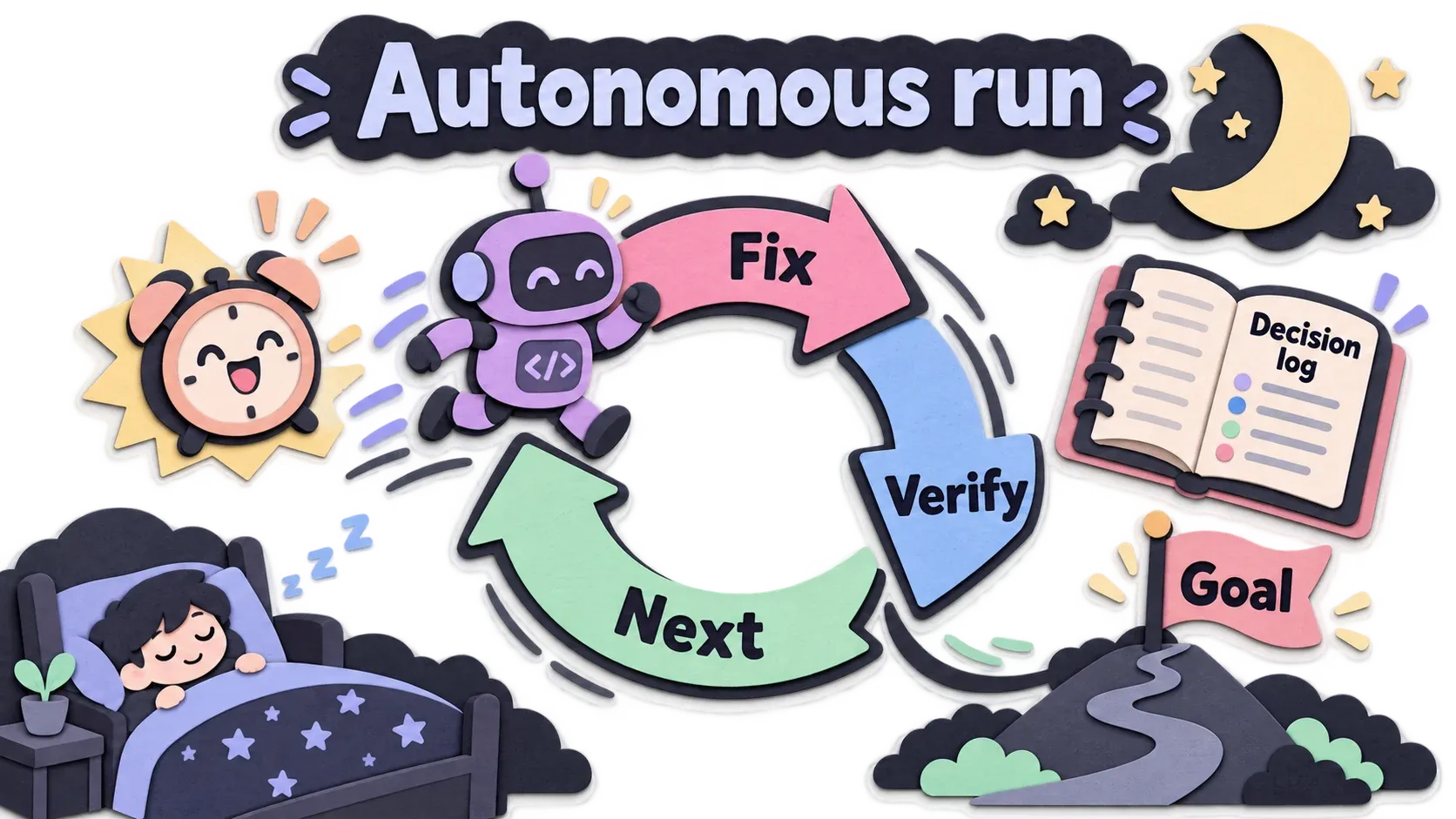
Autonomous run
For long-running work, but the goal must be clear and “done” must be measurable. Roughly these steps:
- understand the goal first
- set up a mechanism for the harness to wake the agent up to keep working (see the box, it differs per harness)
- each round, fix one thing, verify, then move to the next round
- if it hits a problem, fix it itself without stopping to ask, unless that step can’t be undone
- keep a decision log
- stop when it reaches the goal
Opening a PR
The final step of most playbooks. Before opening the PR, it polishes the wording, removes comments (/no-comments), and writes good docs with /technical-writing.

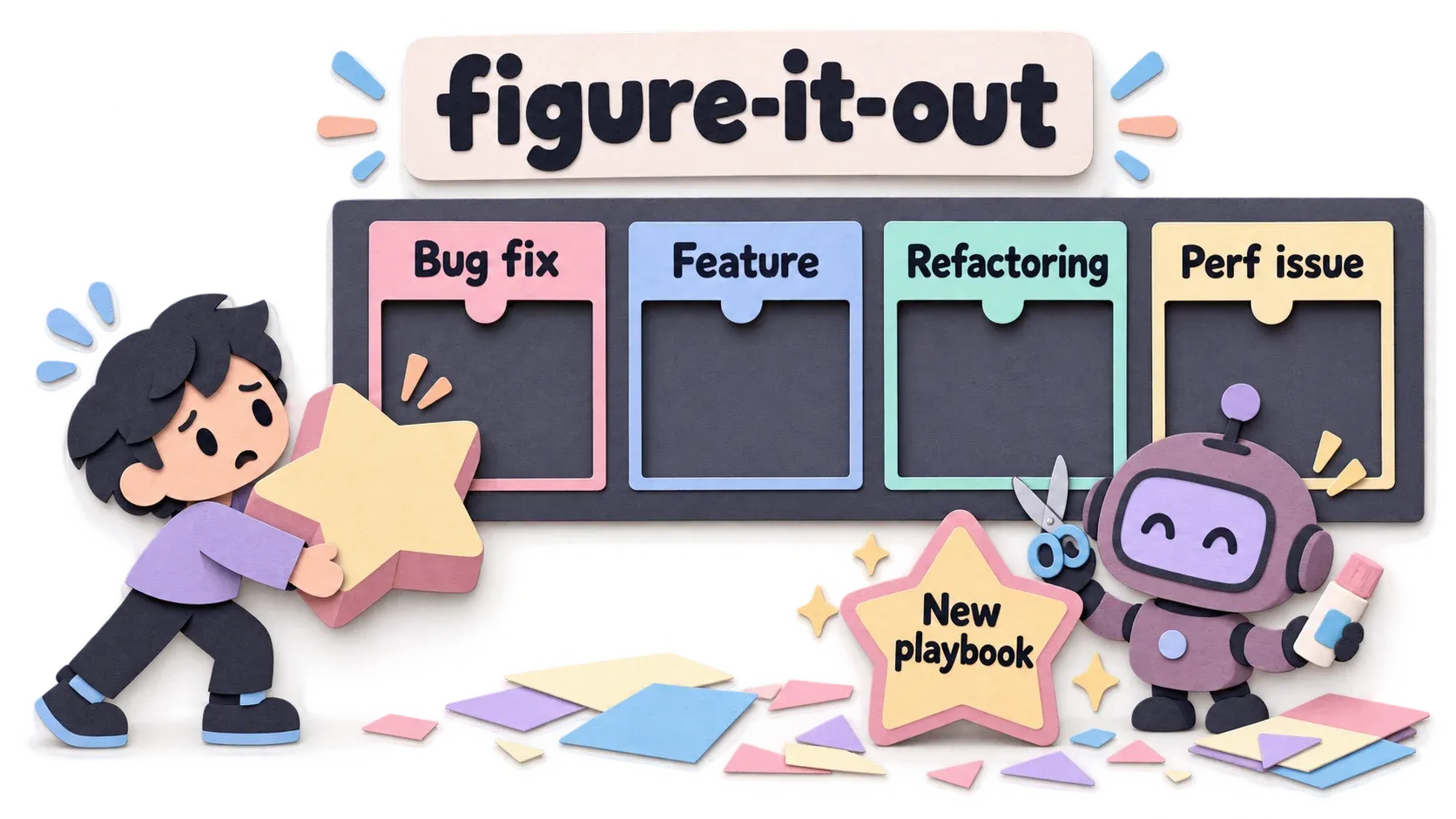
figure-it-out
figure-it-out is actually a skill, but it’s quite important and tied to Playbooks, so I put it here too.
When you give instructions, you use /poteto-mode, right?
Just prompt normally, good or bad, messy or rambling, just say it. No special keyword needed.
If /poteto-mode can’t find a playbook for you, it calls the figure-it-out skill
and builds a custom playbook for you.
Playbooks you won’t use often
I won’t write the steps, it would be way too long. I’ll just say what each one does.
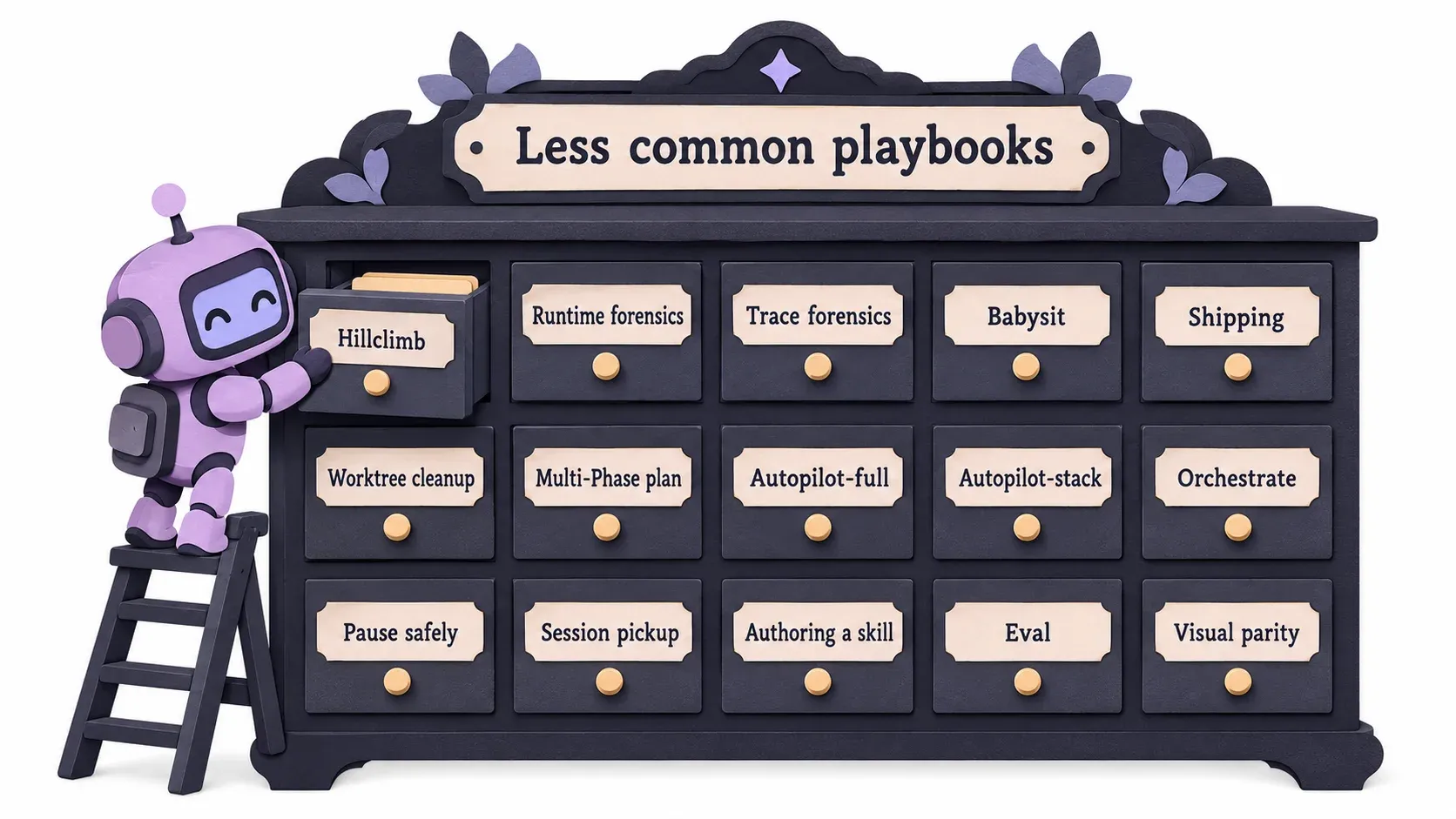
Hillclimb
For clearly improving one particular performance number. That value is very important, and you focus on it alone.
Runtime forensics
Helps solve runtime problems. For example, the app eats way too much RAM, go find out why. Once it finds the cause, it hands off to the Bug fix or Perf issue playbook.
Trace forensics
Finds the cause from an existing trace. Unlike Perf issue, it doesn’t fix anything yet, it just finds where the time went. For example the app opens slowly and you already have a trace of the startup. Read it and tell me why it’s slow.
Babysit
Give it a PR number and it watches the PR until it passes and is ready to merge.
Shipping
Helps merge multiple PRs into main safely. Usually used after Babysit.
worktree cleanup
As the name says, deletes worktrees you no longer use.
Multi-Phase plan
For very large work, it splits it into several smaller plans, but each must have its own clearly separate way to verify.
Autopilot-full
You have several tasks that aren’t related at all. It does them and merges them for you too.
Autopilot-stack
Like autopilot full, but no merging. Just prepare the PRs.
Orchestrate
This playbook needs deep pockets.
For very large work, such as starting a new system with a huge scope that is already clear everywhere, ready to build. If you have tokens left and plenty of disk and memory, go for it.
The main session acts as the coordinator and opens 10 to 100 subagents to do the work.
Pause safely
Tells it to stop working for now.
Maybe you want to spend tokens on something else first, or you have to shut down your machine, or your internet is about to run out. Any reason works.
Session pickup
You may have unfinished work. This playbook finds the latest unfinished work and continues it, picking up after the pause playbook.
Authoring a skill
Helps you write a skill.
Eval
This continues from the Authoring a skill playbook. You need to check whether the skill you built works correctly, so you use the Eval playbook.
Visual parity
Brand new. What does it do, I wonder?
Build your own mode
I recommend using /automate-me to help.
Make it a new mode, it looks cool, for example /my-mode. It is really just an ordinary skill, with a SKILL.md inside
that has a ## Playbooks heading, copying /poteto-mode. That’s all.
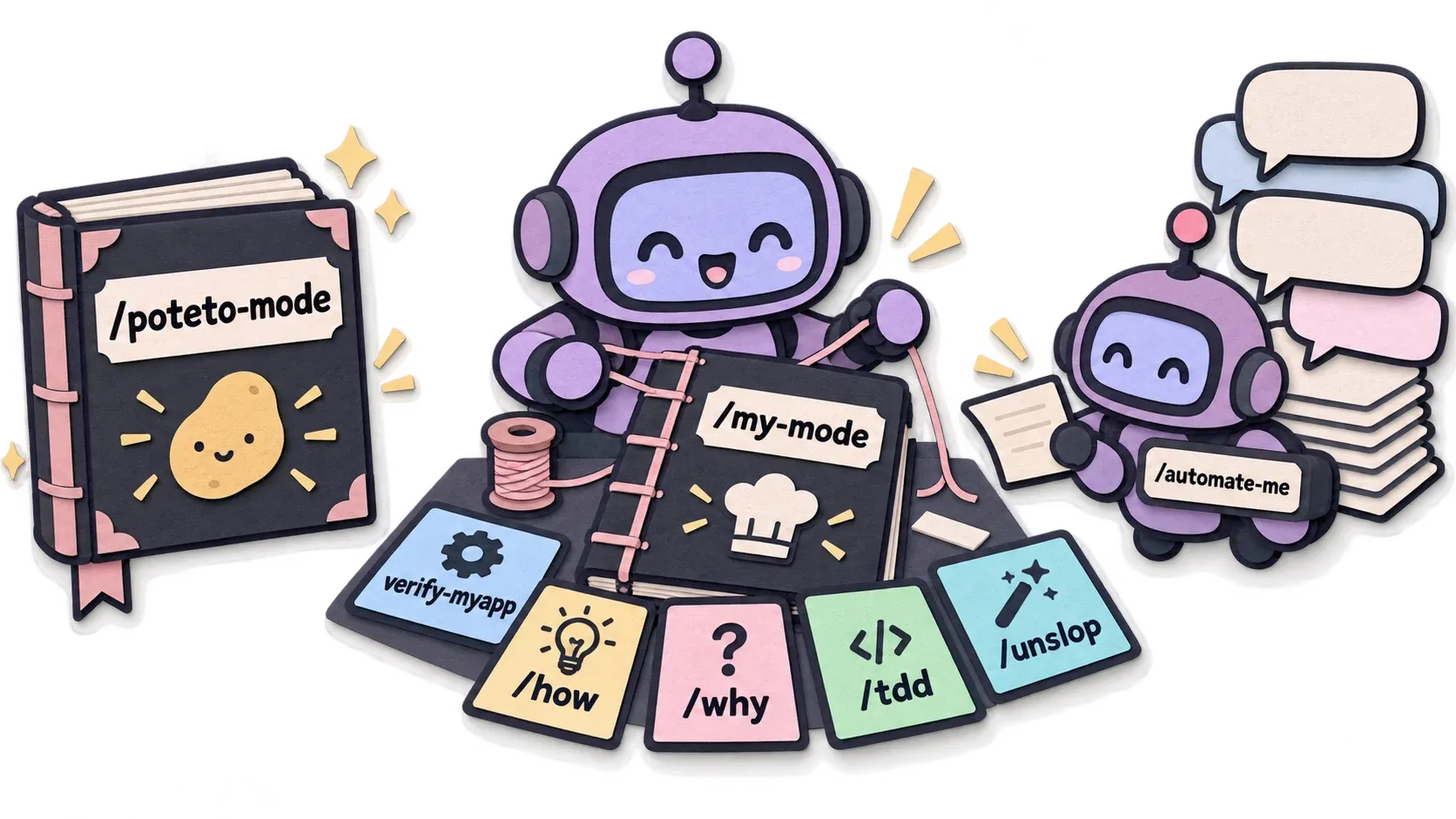
pstack’s skills set disable-model-invocation: true, which means the agent won’t pick them up on its own. Someone has to reference them by name, so your playbook has to name each skill explicitly. For example:
---name: my-modedescription: ใช้เมื่อเริ่มงานใหม่ใน repo นี้disable-model-invocation: true---## Playbooks### Bug fix (ของทีมเรา)1. Reproduce ด้วย skill://verify-myapp ให้ได้ก่อน ถ้าไม่ได้ stop the line2. อ่าน skill://how กับ skill://why แล้วตั้งสมมติฐาน3. เขียน test ที่ fail ด้วย skill://tdd แล้วค่อยแก้4. Verify ซ้ำด้วย skill://verify-myapp แนบ screenshot5. รัน skill://no-comments และ skill://unslop ก่อน commit(The example is in Thai. The description says “use when starting new work in this repo”, and the “Bug fix (our team’s)” playbook says: 1. Reproduce with skill://verify-myapp first; if you can’t, stop the line. 2. Read skill://how and skill://why, then form a hypothesis. 3. Write a failing test with skill://tdd, then fix. 4. Verify again with skill://verify-myapp and attach a screenshot. 5. Run skill://no-comments and skill://unslop before committing.)
On a small budget, where to start
- Start with the Verification skill no matter what. It saves tokens in the long run
- Use a single model at first. Skip panels, and skip multi-model
/arenaand/interrogate - Get fluent with the Bug fix and Investigation playbooks first
- Run
/reflectafter big work to see what to adjust
My take
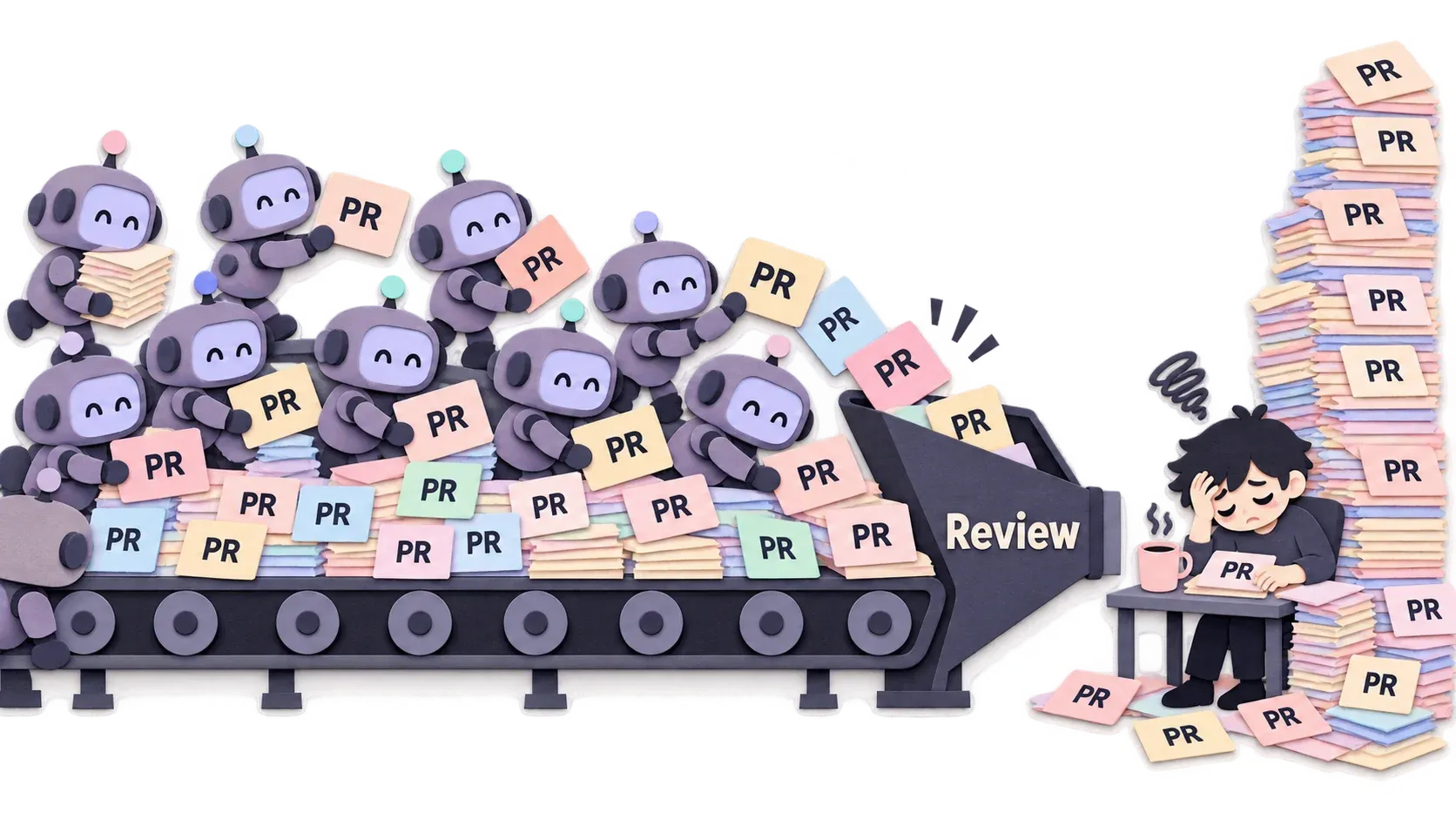
- The bottleneck moves to the reviewers. You can ship thousands of PRs, but you still have the same number of reviewers. I think PR tiers are worth a look: first rank how important each PR is. Medium to low, maybe let AI help review. High, review it yourself
- The Verification skill needs constant care. If you don’t maintain it, it ends up checking things that no longer exist
- An agent checking its own work can be biased toward itself. That’s why pstack uses a panel of several models
- It’s expensive. It uses several models from several vendors. In many cases I tried, it cost more than Matt’s workflow, but overall it’s very good
Summary
At the start I asked whether your project is ready for pstack. The answer is the Verification skill.
- Build the Verification skill before using
/poteto-mode - Instruct
/poteto-modewith the symptom and what you want, no steps - Run
/maintain-verification-skillregularly - After a while you’ll find that pstack’s Playbooks don’t fit you that well. That’s when you adapt them into your own
/my-mode
Personally, I use Matt’s skills together with pstack.
I start with /grill-with-doc -> /to-spec -> /poteto-mode.
Sometimes, when the thing I’m building is small, I don’t use pstack at all, because it burns a fair amount of tokens and doesn’t seem worth it.
If you try it yourself, you’ll soon get a feel for where it’s worth using and where it isn’t.
The whole flow
I’ve rolled it all into one flow, in case you’ve forgotten everything above by the time you got here, haha.
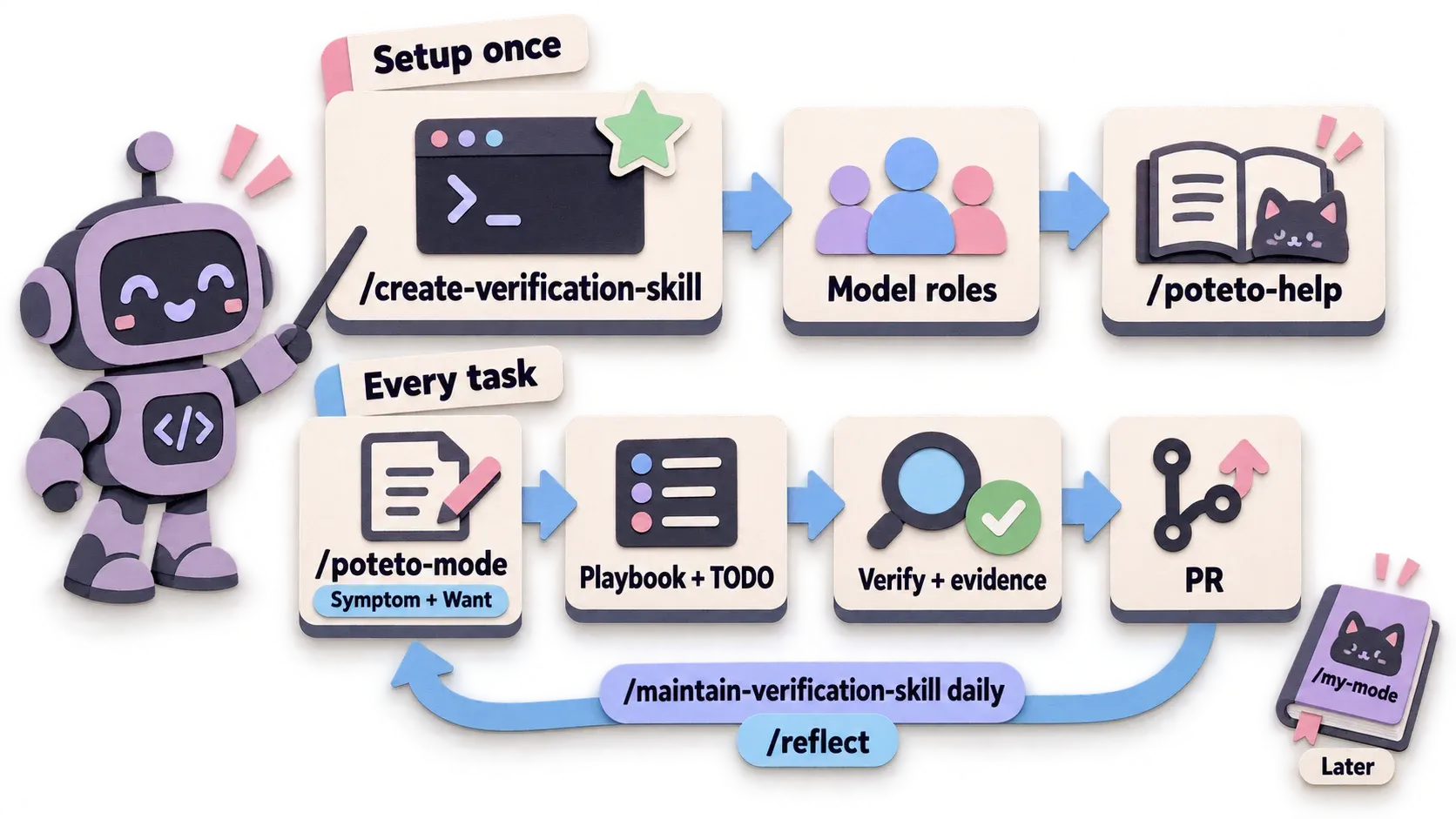
First time, once
- Install pstack for the harness you use. On Cursor it’s
/add-plugin pstack; for other harnesses use a port someone made - Use
/create-verification-skillto get SKILL.md, a CLI and a Feature map for your repo, then go through the 5-item checklist in Setup and see whether you can answer “yes” to all of them - Set up model roles. On a small budget, use a single model for now
- Whenever you’re unsure, ask
/poteto-help
Every task
- Start a new session and instruct
/poteto-modewith the symptom and what you want. No steps, no hypothesis - Let it pick the playbook. If none fits, it calls
figure-it-outto build one - Glance at the TODO list: did it copy every step from the playbook, and does each skipped item have
skip:orn/a:with a reason? - Before you believe it’s done, there must be evidence from the Verification skill, such as screenshots, logs, output. No evidence, not done
- Close the work with Opening a PR
- Can’t keep up with the work? Use
/ketchupor/show-me-your-work. Still confused, follow up with/bro
Regular upkeep
/maintain-verification-skillevery day, otherwise it ends up checking things that no longer exist/reflectafter big work, to see what to adjust next time- If you have to say the same thing more than twice, use
/correctso it finds a way to enforce it with types, lint or a script instead
Long term
- Use it for a while until you know which parts fit your project and which don’t, then use
/automate-meto help build your own/my-mode
Finally, if you remember only one thing from this article, remember that pstack is only good when the agent can really check its own work. Always start with the Verification skill.
Bonus, feel free to skip
All 17 roles
| # | Role | What it does | Default (Oct 2026) |
|---|---|---|---|
| 1 | feature, refactoring | subagent that writes code in the Feature and Refactoring playbooks | Grok 4.7 xhigh-fast |
| 2 | bug-fix | subagent that writes the fix in the Bug fix playbook | Grok 4.7 xhigh-fast |
| 3 | perf-issue | subagent that fixes slowness in the Perf issue playbook | Grok 4.7 xhigh-fast |
| 4 | hillclimb | subagent that tries one hypothesis at a time in the Hillclimb playbook | Grok 4.7 xhigh-fast |
| 5 | judgment and prose | decisions, plans, PRs and all writing | Claude Opus 5.5 xhigh |
| 6 | hardest tasks | the hardest tasks, where a fast model is likely to fail | Claude Opus 5.5 xhigh |
| 7 | how explorer | /how: walks through the code | Grok 4.7 xhigh-fast |
| 8 | how explainer | /how: writes the explanation for people | Claude Opus 5.5 xhigh |
| 9 | why investigators | /why: digs through git history, PRs, issues | Grok 4.7 xhigh-fast |
| 10 | why synthesizer | /why: concludes the why from the evidence | Claude Opus 5.5 xhigh |
| 11 | reflect tooling | /reflect: tool work, such as reading chats and searching files | Grok 4.7 xhigh-fast |
| 12 | reflect judgment, divergent, synthesizer | /reflect: reviewers from 2 angles (judging, dissenting) and the synthesizer of proposals | Claude Opus 5.5 xhigh |
| 13 | arena runners | candidates in /arena, 1 per entry | 2: Opus + Grok |
| 14 | arena cross-judge pool | list to pick 1 judge from (not a panel) | Opus, Grok: prefer a different family from the main chat |
| 15 | architect runners | candidates when /architect hands off to arena | 2: Opus + Grok |
| 16 | swarm workers | workers in /swarm | Grok 4.7 xhigh-fast |
| 17 | interrogate reviewers | reviewers in /interrogate, 1 per entry | 2: Opus + Grok |
Really hard terms, in case you read the actual repo
- sweep = check every feature from start to finish, usually before releasing a new version
- Fuzz = have the AI feed in weird input and do weird things to find bugs
- Escape hatch = a way out. If the agent truly can’t continue on its own, it stops and says why. You’ll see it inside skills, but you normally don’t use it yourself