Installation
Install Kong API Gateway with Docker Compose and a Postgres database.
- series
- Kong Workshop
- episode
- ตอนที่ 2 จาก 20
- read
- อ่าน 3 นาที
เราจะใช้ docker compose ในการติดตั้ง Kong api gateway
docker compose file ที่เตรียมไว้ในนี้ เป็นวันที่ 04th July 2024 ถ้าใครเห็นว่าเก่าแล้วไปดูของใหม่ที่ update ได้ที่ link
โดยในที่นี้เราจะใช้ Kong แบบที่มี Postgres DB ด้วย
Create compose file
version: "3.9"
x-kong-config: &kong-env  KONG_DATABASE: ${KONG_DATABASE:-off}  KONG_PG_DATABASE: ${KONG_PG_DATABASE:-kong}  KONG_PG_HOST: db  KONG_PG_USER: ${KONG_PG_USER:-kong}  KONG_PG_PASSWORD_FILE: /run/secrets/kong_postgres_password
volumes:  kong_data: {}  kong_prefix_vol:    driver_opts:      type: tmpfs      device: tmpfs  kong_tmp_vol:    driver_opts:      type: tmpfs      device: tmpfs
networks:  kong-net:    external: true
services:  kong-migrations:    image: "${KONG_DOCKER_TAG:-kong:latest}"    command: kong migrations bootstrap    profiles: ["database"]    depends_on:      - db    environment:      <<: *kong-env    secrets:      - kong_postgres_password    networks:      - kong-net    restart: on-failure
  kong-migrations-up:    image: "${KONG_DOCKER_TAG:-kong:latest}"    command: kong migrations up && kong migrations finish    profiles: ["database"]    depends_on:      - db    environment:      <<: *kong-env    secrets:      - kong_postgres_password    networks:      - kong-net    restart: on-failure
  kong:    image: "${KONG_DOCKER_TAG:-kong:latest}"    user: "${KONG_USER:-kong}"    environment:      <<: *kong-env      KONG_ADMIN_ACCESS_LOG: /dev/stdout      KONG_ADMIN_ERROR_LOG: /dev/stderr      KONG_PROXY_LISTEN: "${KONG_PROXY_LISTEN:-0.0.0.0:8000}"      KONG_ADMIN_LISTEN: "${KONG_ADMIN_LISTEN:-0.0.0.0:8001}"      KONG_ADMIN_GUI_LISTEN: "${KONG_ADMIN_GUI_LISTEN:-0.0.0.0:8002}"      KONG_PROXY_ACCESS_LOG: /dev/stdout      KONG_PROXY_ERROR_LOG: /dev/stderr      KONG_PREFIX: ${KONG_PREFIX:-/var/run/kong}      KONG_DECLARATIVE_CONFIG: "/opt/kong/kong.yaml"    secrets:      - kong_postgres_password    networks:      - kong-net    ports:      # The following two environment variables default to an insecure value (0.0.0.0)      # according to the CIS Security test.      - "${KONG_INBOUND_PROXY_LISTEN:-0.0.0.0}:8000:8000/tcp"      - "${KONG_INBOUND_SSL_PROXY_LISTEN:-0.0.0.0}:8443:8443/tcp"      # Making them mandatory but undefined, like so would be backwards-breaking:      # - "${KONG_INBOUND_PROXY_LISTEN?Missing inbound proxy host}:8000:8000/tcp"      # - "${KONG_INBOUND_SSL_PROXY_LISTEN?Missing inbound proxy ssl host}:8443:8443/tcp"      # Alternative is deactivating check 5.13 in the security bench, if we consider Kong's own config to be enough security here
      - "127.0.0.1:8001:8001/tcp"      - "127.0.0.1:8444:8444/tcp"      - "127.0.0.1:8002:8002/tcp"    healthcheck:      test: ["CMD", "kong", "health"]      interval: 10s      timeout: 10s      retries: 10    restart: on-failure:5    read_only: true    volumes:      - kong_prefix_vol:${KONG_PREFIX:-/var/run/kong}      - kong_tmp_vol:/tmp      - ./config:/opt/kong    security_opt:      - no-new-privileges
  db:    image: postgres:9.5    profiles: ["database"]    environment:      POSTGRES_DB: ${KONG_PG_DATABASE:-kong}      POSTGRES_USER: ${KONG_PG_USER:-kong}      POSTGRES_PASSWORD_FILE: /run/secrets/kong_postgres_password    secrets:      - kong_postgres_password    healthcheck:      test:        [          "CMD",          "pg_isready",          "-d",          "${KONG_PG_DATABASE:-kong}",          "-U",          "${KONG_PG_USER:-kong}",        ]      interval: 30s      timeout: 30s      retries: 3    restart: on-failure    stdin_open: true    tty: true    networks:      - kong-net    volumes:      - kong_data:/var/lib/postgresql/data
secrets:  kong_postgres_password:    file: ./POSTGRES_PASSWORD
Create Postgres Password file
แล้วให้สร้าง file ชื่อ POSTGRES_PASSWORD ไว้ข้าง compose.yaml ภายในไฟล์จะเป็น password ของ postgres db ใส่อะไรก็ได้
หรือสร้างด้วยคำสั่งนี้ (เปลี่ยน password ตามชอบ)
printf '%s' 'your-postgres-password' > POSTGRES_PASSWORDSpin up Kong API Gateway
สั่ง compose up ได้เลย
KONG_DATABASE=postgres docker compose --profile database up -dลองเปิดไปที่ localhost:8000
จะได้แบบนี้
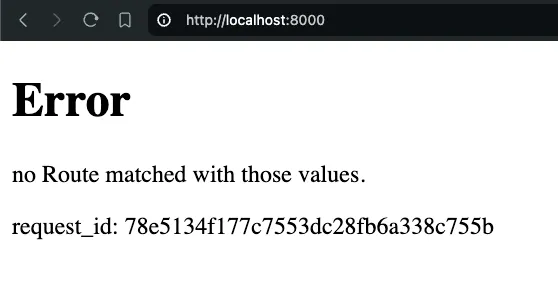
ลองเปิดไปที่ localhost:8002
จะได้แบบนี้
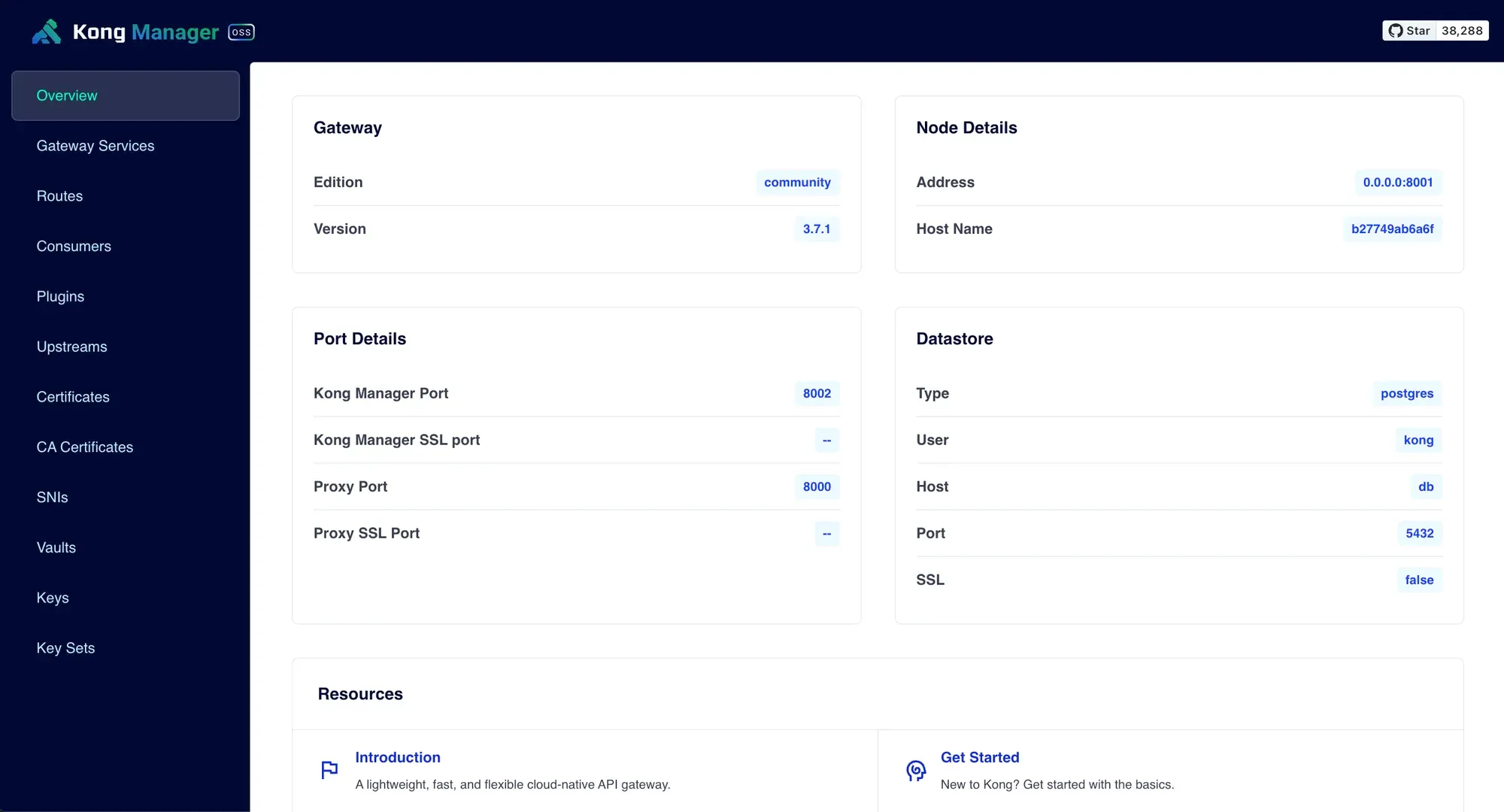
ถ้าไม่ได้ลองสั่งคำสั่งนี้อีกครั้งหนึ่ง
KONG_DATABASE=postgres docker compose --profile database up -d