Upstream (Load balancer)
Use Kong Upstreams as a load balancer, with active and passive health checks.
- series
- Kong Workshop
- episode
- ตอนที่ 17 จาก 20
- read
- อ่าน 2 นาที
เราสามารถใช้ Kong API Gateway ทำ Load balancer ได้ด้วย
Understanding
ย้อนมาดู overview กันอีกที
ถ้าเราต้องเพิ่ม Backend อีก 1 ตัว ก็จะเป็นแบบนี้
แต่ก็จะมีคำถามว่าเราจะให้ API Service ชี้มาที่ Backend app ได้อย่างไร
คำตอบคือ
Upstream ก็จะมาช่วยเราตรงนี้แหละ
Start Another backend
เรามาเพิ่ม backend อีกตัวนึกก่อน
networks:  kong-net:    external: true
services:  server:    image: hadesgod/api2-kong-workshop    container_name: api2    build:      context: .    environment:      NODE_ENV: production    ports:      - 3334:3334    networks:      - kong-net
docker compose up -dNew Upstream
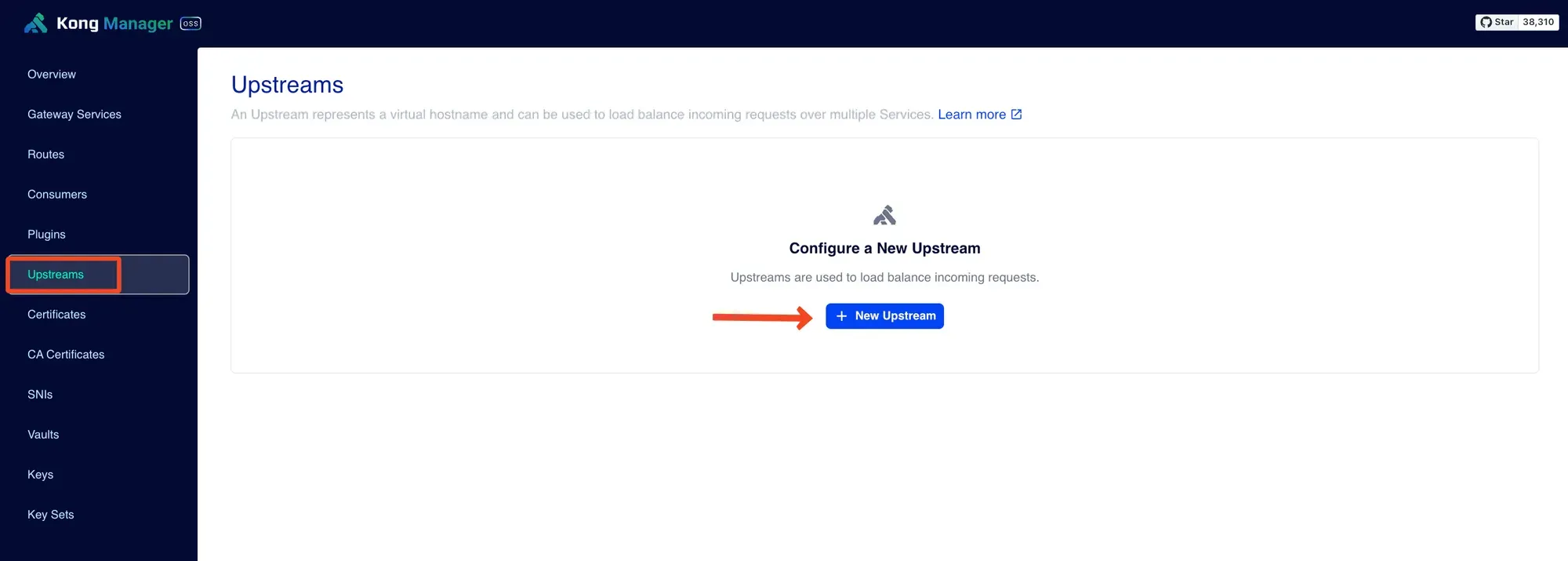
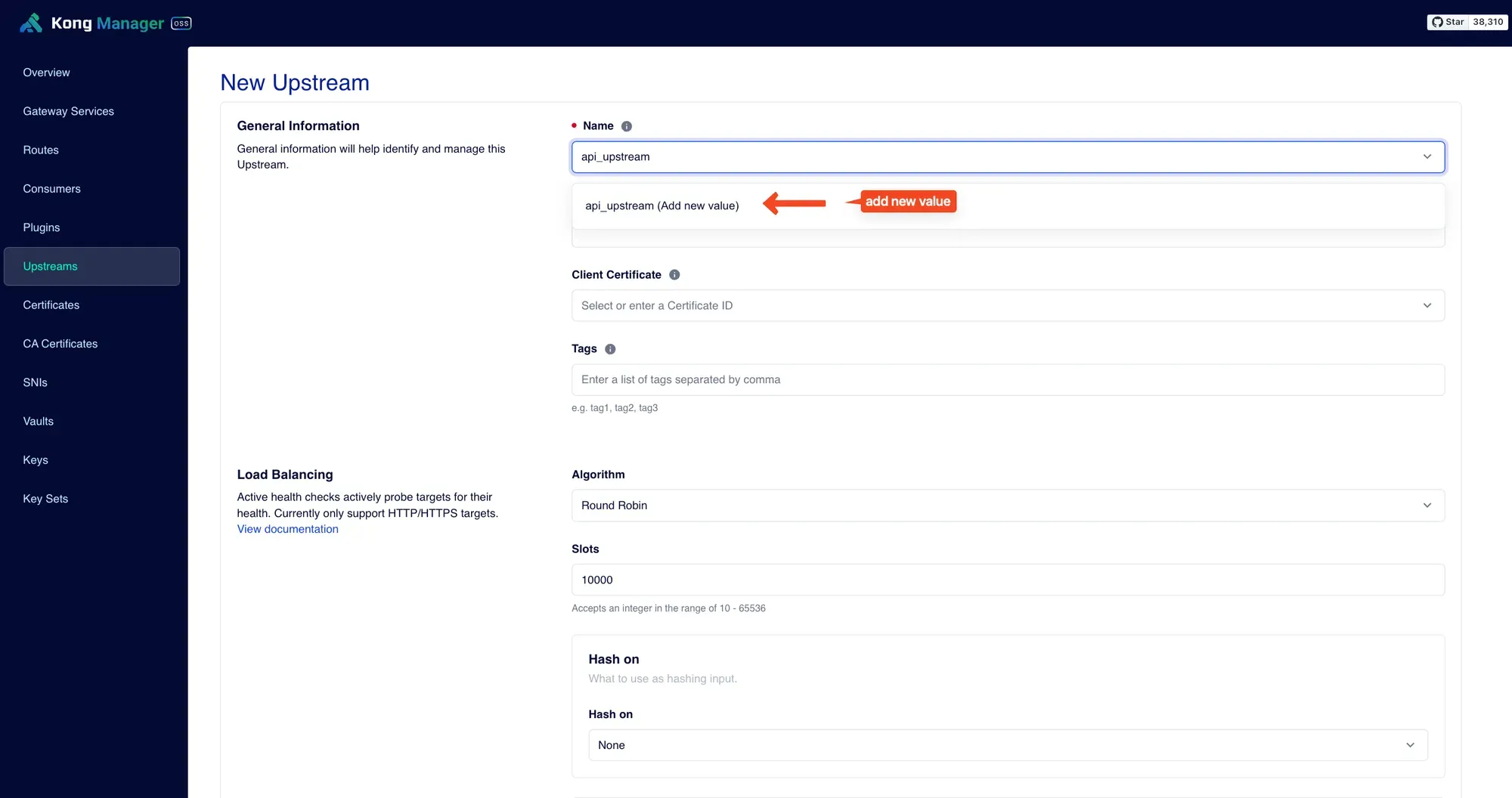
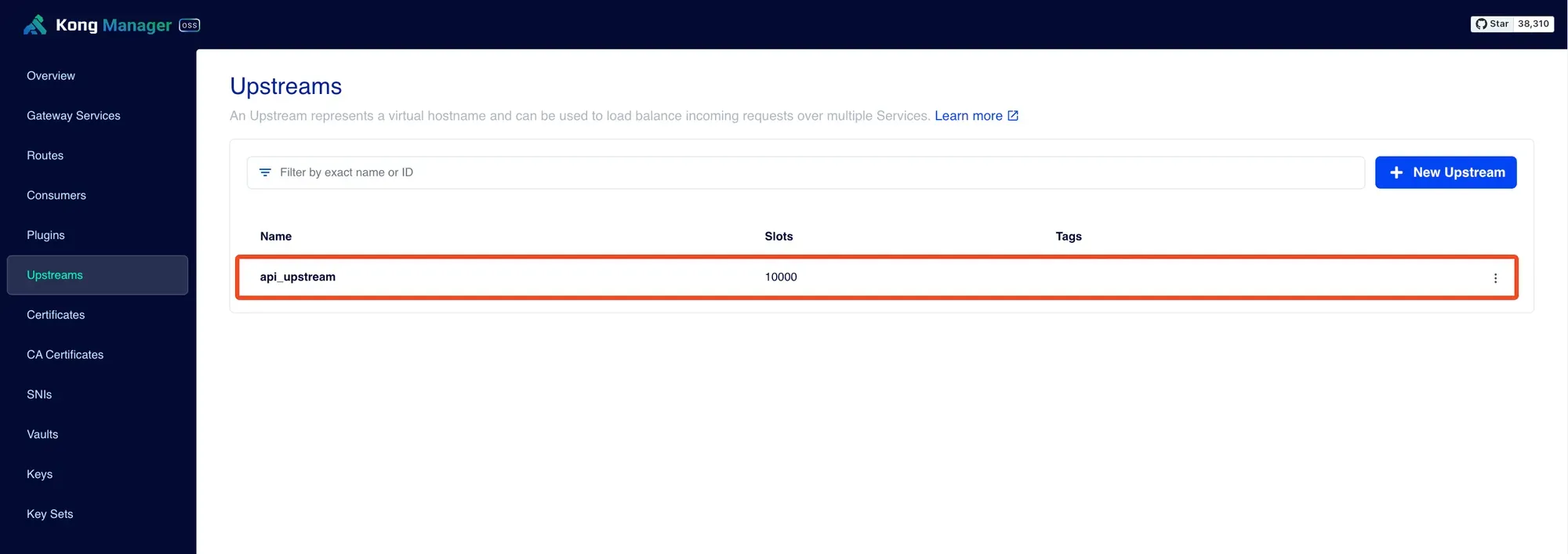
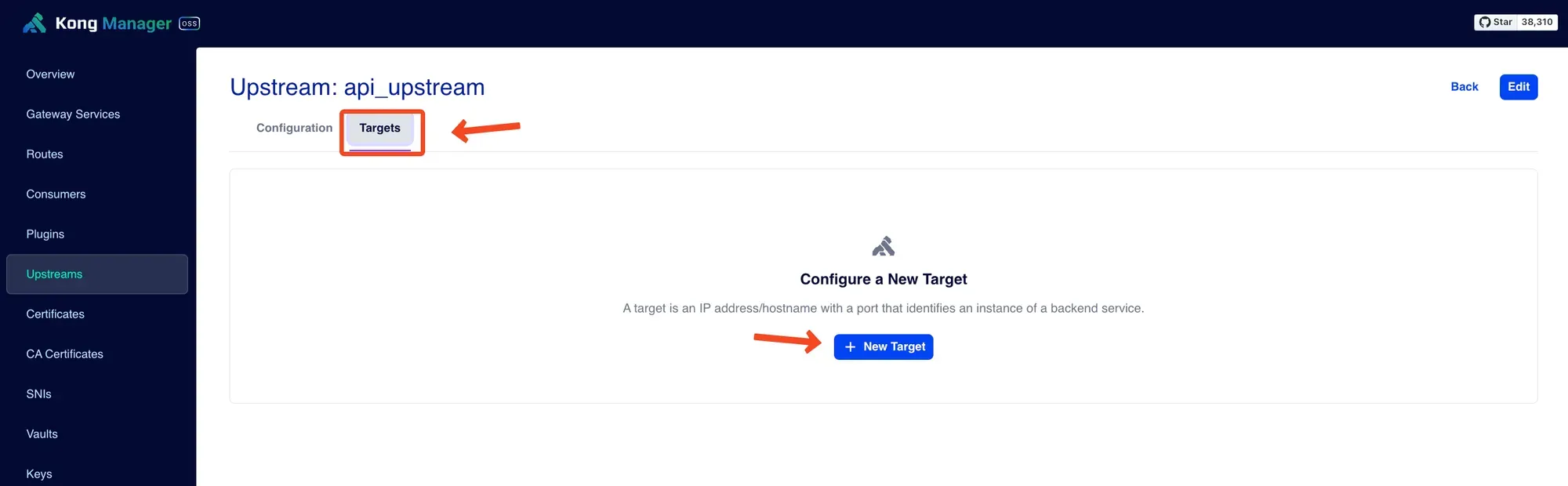
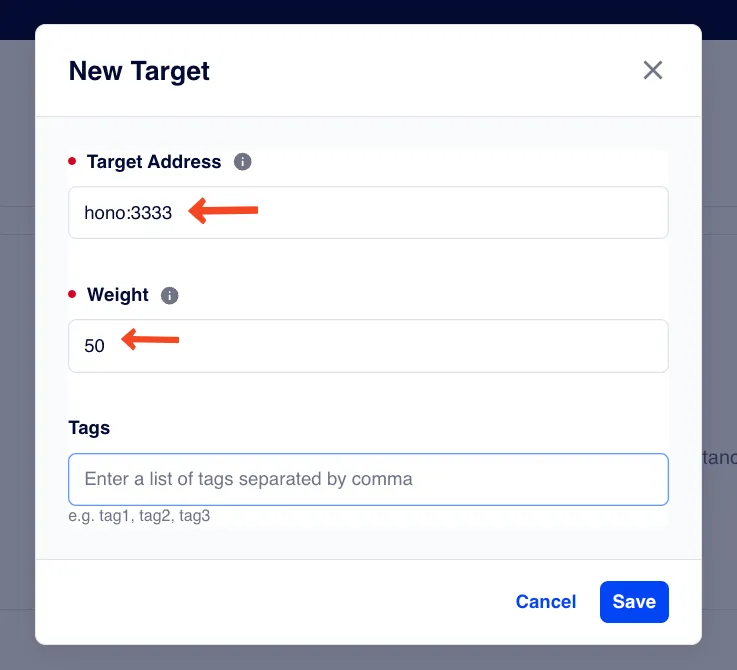
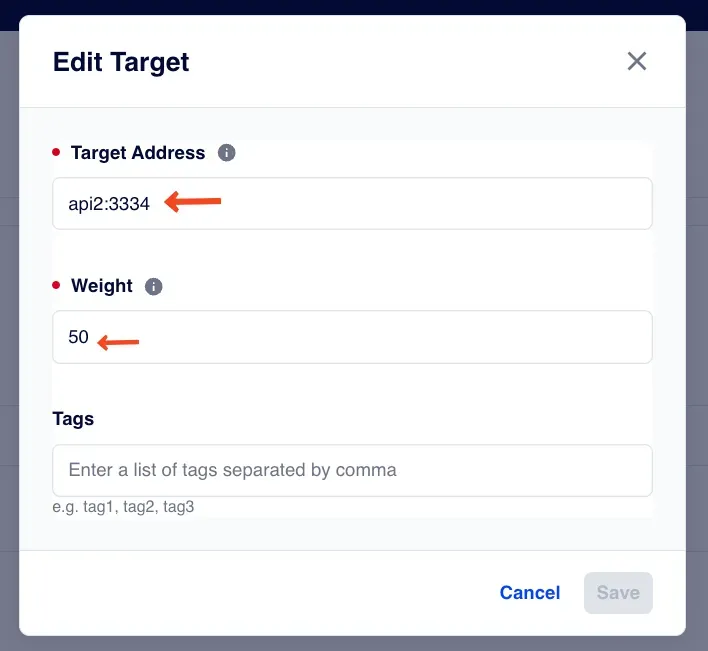
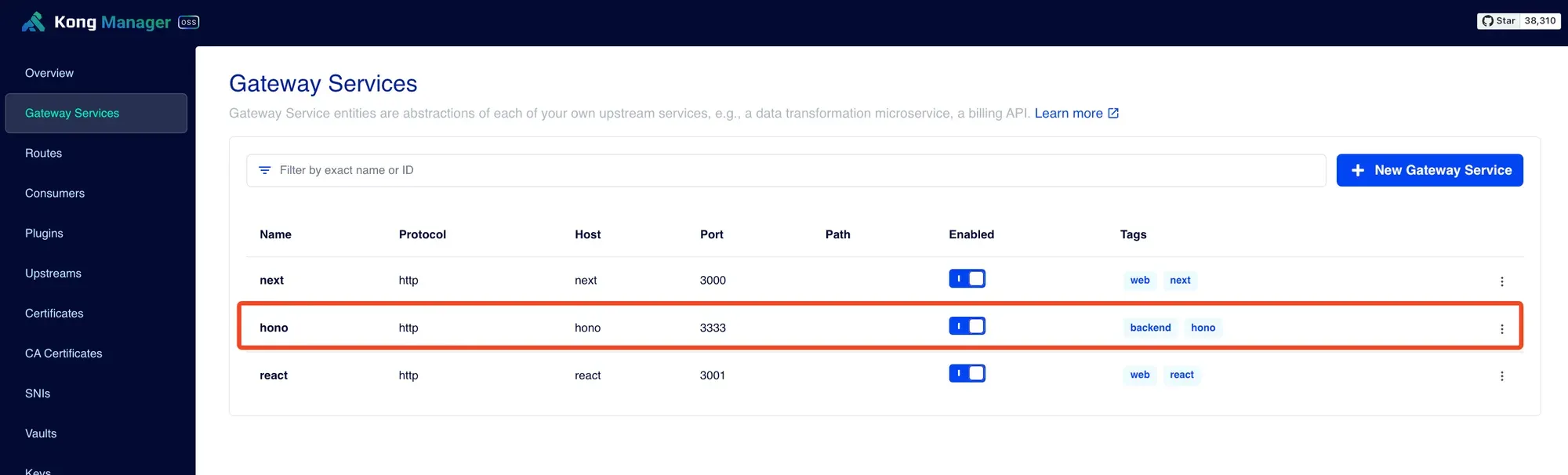
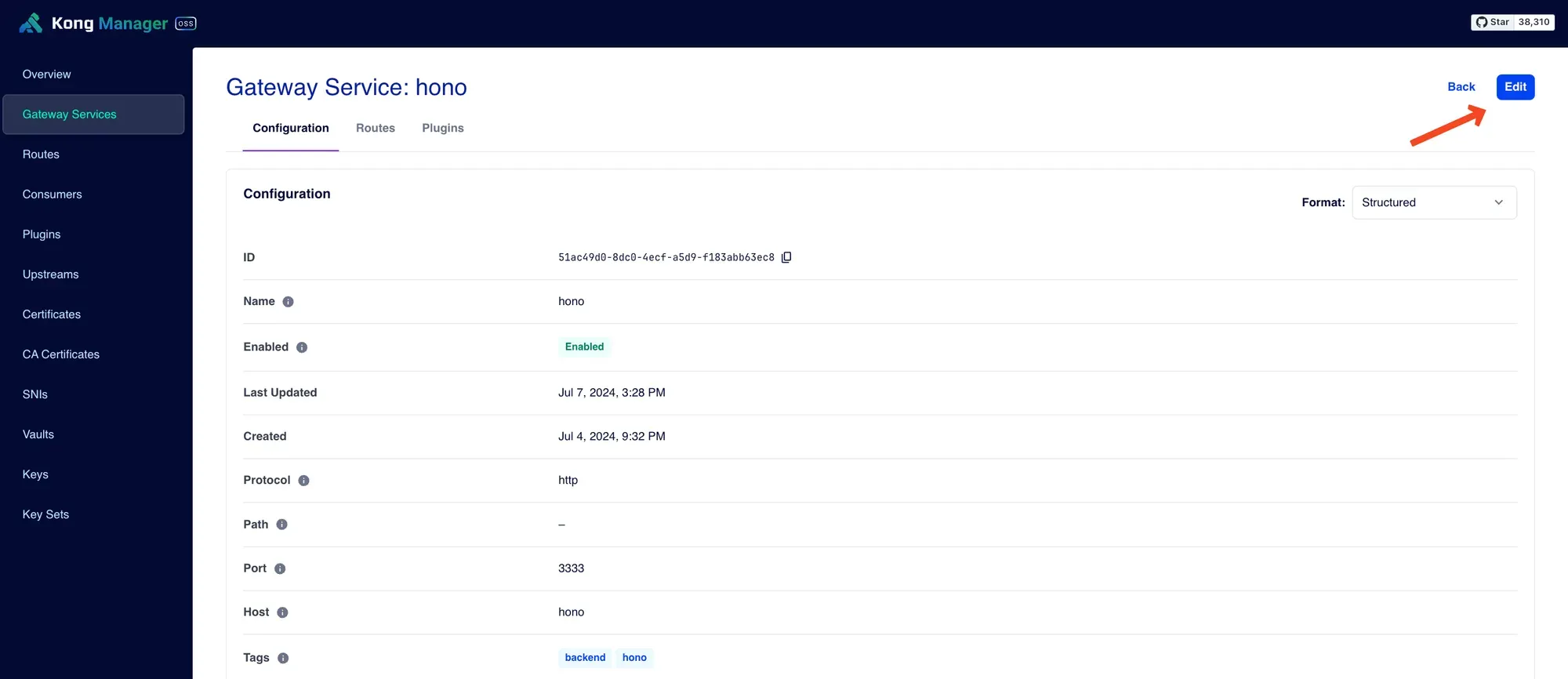
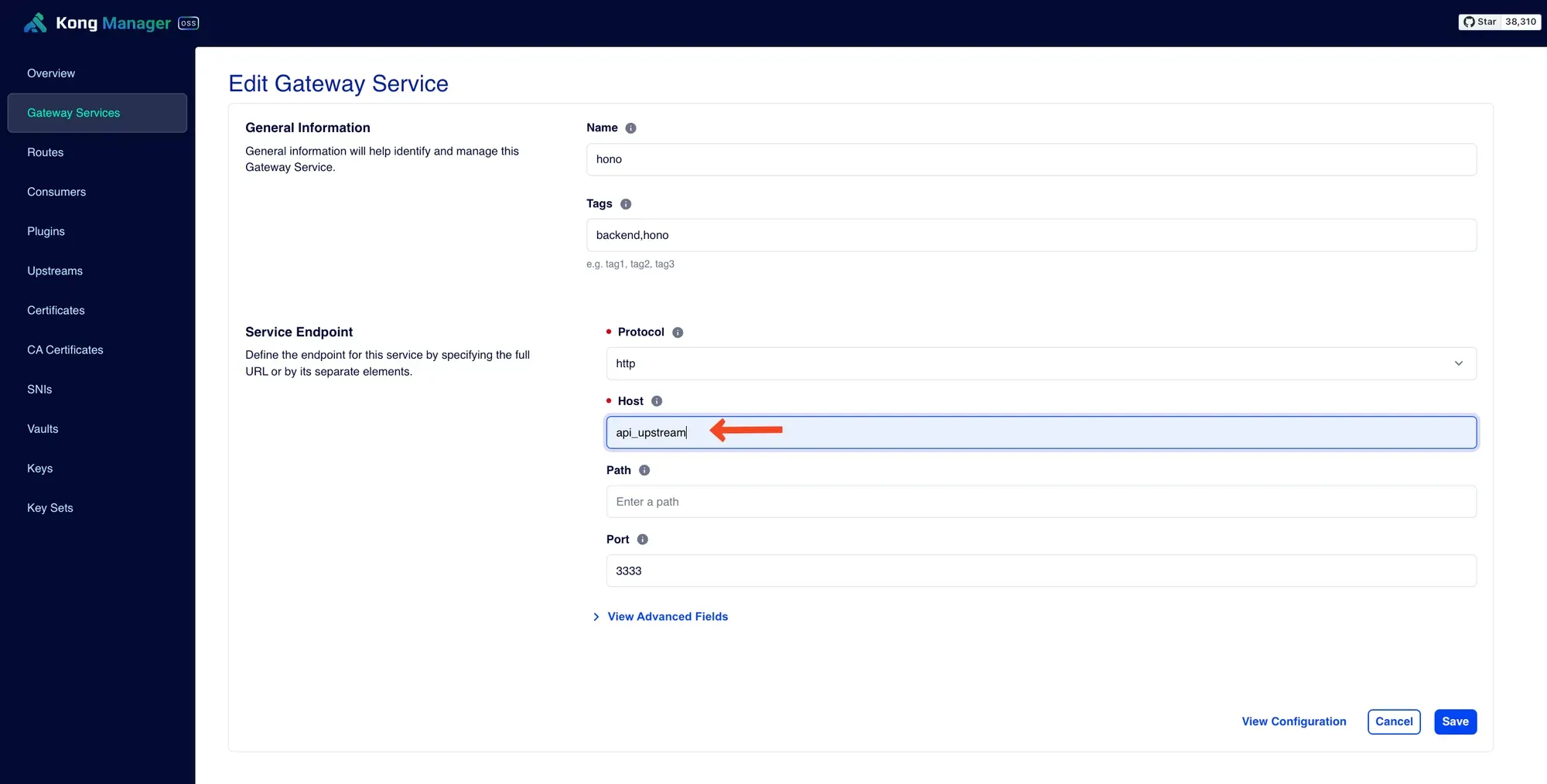
Setup Gateway service
Test
มาลองทดสอบกัน
Health check
เนื่องจากว่าเราทำ Load balancer ดังนั้น Kong จะต้องแน่ใจว่าส่งต่อ Request ไปที่ server ที่พร้อมทำงาน
Kong จะเช็คว่า target พร้อมทำงานหรือไม่มี 2 วิธีการ
- Active
- Passive
1. Active
active คือ Kong จะทดลองยิง request ไปที่ target เป็นระยะๆ ซึ่งเราจะต้องบอกวิธีการให้กับ Kong ให้ยิงไปที่เส้นไหน ยิงทุกๆกี่วินาที
2. Passive
passive คือ Kong จะดู response ที่ได้จาก request จริงๆ แล้วนับดูถ้าครบตามจำนวนที่เราตั้งไว้ health ของ target ก็จะถือว่า Ok ถ้าไม่มี request จริงๆเข้ามาเราก็จะไม่มี health ของ target นี้